Compare commits
1 Commits
1.0.1
...
fix-color-
| Author | SHA1 | Date | |
|---|---|---|---|

|
f6fc65bffd |
82
README.md
@@ -1,19 +1,19 @@
|
|||||||
# cool-retro-term
|
#cool-retro-term
|
||||||
|
|
||||||
## Description
|
##Description
|
||||||
cool-retro-term is a terminal emulator which mimics the look and feel of the old cathode tube screens.
|
cool-retro-term is a terminal emulator which mimics the look and feel of the old cathode tube screens.
|
||||||
It has been designed to be eye-candy, customizable, and reasonably lightweight.
|
It has been designed to be eye-candy, customizable, and reasonably lightweight.
|
||||||
|
|
||||||
It uses the QML port of qtermwidget (Konsole) developed by me: https://github.com/Swordfish90/qmltermwidget .
|
It uses the QML port of qtermwidget (Konsole) developed by me: https://github.com/Swordfish90/qmltermwidget
|
||||||
|
|
||||||
This terminal emulator works under Linux and OSX and requires Qt 5.2 or higher.
|
This terminal emulator requires Qt 5.2 or higher to run.
|
||||||
|
|
||||||
## Screenshots
|
##Screenshots
|
||||||

|

|
||||||

|

|
||||||

|

|
||||||
|
|
||||||
## Get cool-retro-term
|
##Get cool-retro-term
|
||||||
You can either build cool-retro-term yourself (see below) or walk the easy way and install one of these packages:
|
You can either build cool-retro-term yourself (see below) or walk the easy way and install one of these packages:
|
||||||
|
|
||||||
Users of Fedora and openSUSE can grab a package from [Open Build Service](http://software.opensuse.org/package/cool-retro-term).
|
Users of Fedora and openSUSE can grab a package from [Open Build Service](http://software.opensuse.org/package/cool-retro-term).
|
||||||
@@ -22,30 +22,18 @@ Arch users can install this [package](https://aur.archlinux.org/packages/cool-re
|
|||||||
|
|
||||||
yaourt -S aur/cool-retro-term-git
|
yaourt -S aur/cool-retro-term-git
|
||||||
|
|
||||||
or use:
|
Gentoo users can install from a 3rd-party repository preferably via layman:
|
||||||
|
|
||||||
pacman -S cool-retro-term
|
# USE="subversion git" emerge app-portage/layman
|
||||||
|
# wget --no-check-certificate https://www.gerczei.eu/files/gerczei.xml -O /etc/layman/overlays/gerczei.xml
|
||||||
to install precompiled from community repository.
|
# layman -f -a qt -a gerczei
|
||||||
|
# ACCEPT_KEYWORDS="~*" emerge x11-terms/cool-retro-term::gerczei
|
||||||
Gentoo users can now install the first release "1.0" from a 3rd-party repository preferably via layman:
|
|
||||||
|
|
||||||
USE="git" emerge app-portage/layman
|
|
||||||
wget https://www.gerczei.eu/files/gerczei.xml -O /etc/layman/overlays/gerczei.xml
|
|
||||||
layman -f -a qt -a gerczei # those who've added the repo before 27/08/17 should remove, update and add it again as its source has changed
|
|
||||||
ACCEPT_KEYWORDS="~*" emerge =x11-terms/cool-retro-term-1.0.0-r1::gerczei
|
|
||||||
|
|
||||||
The live ebuild (version 9999-r1) tracking the bleeding-edge WIP codebase also remains available.
|
|
||||||
|
|
||||||
A word of warning: USE flags and keywords are to be added to portage's configuration files and every emerge operation should be executed with '-p' (short option for --pretend) appended to the command line first as per best practice!
|
A word of warning: USE flags and keywords are to be added to portage's configuration files and every emerge operation should be executed with '-p' (short option for --pretend) appended to the command line first as per best practice!
|
||||||
|
|
||||||
Ubuntu users of 14.04 LTS (Trusty) up to 15.10 (Wily) can use [this PPA](https://launchpad.net/~bugs-launchpad-net-falkensweb)
|
##Build instructions (Linux)
|
||||||
|
|
||||||
OSX users can grab the latest dmg from the release page: https://github.com/Swordfish90/cool-retro-term/releases
|
##Dependencies
|
||||||
|
|
||||||
## Build instructions (Linux)
|
|
||||||
|
|
||||||
## Dependencies
|
|
||||||
Make sure to install these first.
|
Make sure to install these first.
|
||||||
|
|
||||||
---
|
---
|
||||||
@@ -56,18 +44,6 @@ Make sure to install these first.
|
|||||||
|
|
||||||
---
|
---
|
||||||
|
|
||||||
**Ubuntu 16.10**
|
|
||||||
|
|
||||||
sudo apt-get install build-essential qmlscene qt5-qmake qt5-default qtdeclarative5-dev qml-module-qtquick-controls qtdeclarative5-qtquick2-plugin libqt5qml-graphicaleffects qml-module-qtquick-dialogs qtdeclarative5-localstorage-plugin qtdeclarative5-window-plugin
|
|
||||||
|
|
||||||
---
|
|
||||||
|
|
||||||
**Ubuntu 17.04**
|
|
||||||
|
|
||||||
sudo apt-get install build-essential libqt5qml-graphicaleffects qml-module-qt-labs-folderlistmodel qml-module-qt-labs-settings qml-module-qtquick-controls qml-module-qtquick-dialogs qmlscene qt5-default qt5-qmake qtdeclarative5-dev qtdeclarative5-localstorage-plugin qtdeclarative5-qtquick2-plugin qtdeclarative5-window-plugin
|
|
||||||
|
|
||||||
---
|
|
||||||
|
|
||||||
**Debian Jessie**
|
**Debian Jessie**
|
||||||
|
|
||||||
sudo apt-get install build-essential qmlscene qt5-qmake qt5-default qtdeclarative5-dev qml-module-qtquick-controls qml-module-qtgraphicaleffects qml-module-qtquick-dialogs qml-module-qtquick-localstorage qml-module-qtquick-window2
|
sudo apt-get install build-essential qmlscene qt5-qmake qt5-default qtdeclarative5-dev qml-module-qtquick-controls qml-module-qtgraphicaleffects qml-module-qtquick-dialogs qml-module-qtquick-localstorage qml-module-qtquick-window2
|
||||||
@@ -77,11 +53,11 @@ Make sure to install these first.
|
|||||||
**Fedora**
|
**Fedora**
|
||||||
This command should install the known fedora dependencies:
|
This command should install the known fedora dependencies:
|
||||||
|
|
||||||
sudo yum -y install qt5-qtbase qt5-qtbase-devel qt5-qtdeclarative qt5-qtdeclarative-devel qt5-qtgraphicaleffects qt5-qtquickcontrols redhat-rpm-config
|
sudo yum -y install qt5-qtbase qt5-qtbase-devel qt5-qtdeclarative qt5-qtdeclarative-devel qt5-qtgraphicaleffects qt5-qtquickcontrols
|
||||||
|
|
||||||
or:
|
or:
|
||||||
|
|
||||||
sudo dnf -y install qt5-qtbase qt5-qtbase-devel qt5-qtdeclarative qt5-qtdeclarative-devel qt5-qtgraphicaleffects qt5-qtquickcontrols redhat-rpm-config
|
sudo dnf -y install qt5-qtbase qt5-qtbase-devel qt5-qtdeclarative qt5-qtdeclarative-devel qt5-qtgraphicaleffects qt5-qtquickcontrols
|
||||||
|
|
||||||
---
|
---
|
||||||
|
|
||||||
@@ -110,7 +86,7 @@ Install Qt directly from here http://qt-project.org/downloads . Once done export
|
|||||||
export PATH=/opt/Qt5.3.1/5.3/gcc_64/bin/:$PATH
|
export PATH=/opt/Qt5.3.1/5.3/gcc_64/bin/:$PATH
|
||||||
---
|
---
|
||||||
|
|
||||||
### Compile
|
###Compile
|
||||||
Once you installed all dependencies (Qt is installed and in your path) you need to compile and run the application:
|
Once you installed all dependencies (Qt is installed and in your path) you need to compile and run the application:
|
||||||
|
|
||||||
```bash
|
```bash
|
||||||
@@ -127,13 +103,11 @@ qmake && make
|
|||||||
./cool-retro-term
|
./cool-retro-term
|
||||||
```
|
```
|
||||||
|
|
||||||
## Build instructions (OSX)
|
##Build instructions (OSX)
|
||||||
|
|
||||||
1. Install [Xcode](https://developer.apple.com/xcode/) and agree to the licence agreement
|
1. Install [Xcode](https://developer.apple.com/xcode/) and agree to the licence agreement
|
||||||
2. Enter the following commands into the terminal:
|
2. Enter the following commands into the terminal:
|
||||||
|
|
||||||
**Brew**
|
|
||||||
|
|
||||||
```sh
|
```sh
|
||||||
brew install qt5
|
brew install qt5
|
||||||
git clone --recursive https://github.com/Swordfish90/cool-retro-term.git
|
git clone --recursive https://github.com/Swordfish90/cool-retro-term.git
|
||||||
@@ -147,19 +121,5 @@ cp -r qmltermwidget/QMLTermWidget cool-retro-term.app/Contents/PlugIns
|
|||||||
open cool-retro-term.app
|
open cool-retro-term.app
|
||||||
```
|
```
|
||||||
|
|
||||||
**MacPorts**
|
##Donations
|
||||||
|
|
||||||
```sh
|
|
||||||
sudo port install qt5
|
|
||||||
git clone --recursive https://github.com/Swordfish90/cool-retro-term.git
|
|
||||||
cd cool-retro-term
|
|
||||||
/opt/local/libexec/qt5/bin/qmake && make
|
|
||||||
mkdir cool-retro-term.app/Contents/PlugIns
|
|
||||||
cp -r qmltermwidget/QMLTermWidget cool-retro-term.app/Contents/PlugIns
|
|
||||||
open cool-retro-term.app
|
|
||||||
```
|
|
||||||
|
|
||||||
## Donations
|
|
||||||
I made this project in my spare time because I love what I'm doing. If you are enjoying it and you want to buy me a beer click [here](https://www.paypal.com/cgi-bin/webscr?cmd=_donations&business=flscogna%40gmail%2ecom&lc=IT&item_name=Filippo%20Scognamiglio¤cy_code=EUR&bn=PP%2dDonationsBF%3abtn_donate_LG%2egif%3aNonHosted) .
|
I made this project in my spare time because I love what I'm doing. If you are enjoying it and you want to buy me a beer click [here](https://www.paypal.com/cgi-bin/webscr?cmd=_donations&business=flscogna%40gmail%2ecom&lc=IT&item_name=Filippo%20Scognamiglio¤cy_code=EUR&bn=PP%2dDonationsBF%3abtn_donate_LG%2egif%3aNonHosted) .
|
||||||
|
|
||||||
You can also add "bounties" on your favourite issues. More information on the [Bountysource](https://www.bountysource.com/teams/crt/issues) page.
|
|
||||||
|
|||||||
14
app/app.pro
@@ -20,17 +20,3 @@ RESOURCES += qml/resources.qrc
|
|||||||
target.path += /usr/bin/
|
target.path += /usr/bin/
|
||||||
|
|
||||||
INSTALLS += target
|
INSTALLS += target
|
||||||
|
|
||||||
# Install icons
|
|
||||||
unix {
|
|
||||||
icon32.files = icons/32x32/cool-retro-term.png
|
|
||||||
icon32.path = /usr/share/icons/hicolor/32x32/apps
|
|
||||||
icon64.files = icons/64x64/cool-retro-term.png
|
|
||||||
icon64.path = /usr/share/icons/hicolor/64x64/apps
|
|
||||||
icon128.files = icons/128x128/cool-retro-term.png
|
|
||||||
icon128.path = /usr/share/icons/hicolor/128x128/apps
|
|
||||||
icon256.files = icons/256x256/cool-retro-term.png
|
|
||||||
icon256.path = /usr/share/icons/hicolor/256x256/apps
|
|
||||||
|
|
||||||
INSTALLS += icon32 icon64 icon128 icon256
|
|
||||||
}
|
|
||||||
|
|||||||

|
Before Width: | Height: | Size: 32 KiB After Width: | Height: | Size: 32 KiB |

|
Before Width: | Height: | Size: 62 KiB After Width: | Height: | Size: 62 KiB |

|
Before Width: | Height: | Size: 8.4 KiB After Width: | Height: | Size: 8.4 KiB |

|
Before Width: | Height: | Size: 19 KiB After Width: | Height: | Size: 19 KiB |
35
app/main.cpp
@@ -5,7 +5,6 @@
|
|||||||
#include <QStringList>
|
#include <QStringList>
|
||||||
|
|
||||||
#include <QtWidgets/QApplication>
|
#include <QtWidgets/QApplication>
|
||||||
#include <QIcon>
|
|
||||||
|
|
||||||
#include <QDebug>
|
#include <QDebug>
|
||||||
#include <stdlib.h>
|
#include <stdlib.h>
|
||||||
@@ -25,31 +24,14 @@ QString getNamedArgument(QStringList args, QString name)
|
|||||||
|
|
||||||
int main(int argc, char *argv[])
|
int main(int argc, char *argv[])
|
||||||
{
|
{
|
||||||
// Some environmental variable are necessary on certain platforms.
|
|
||||||
|
|
||||||
// This disables QT appmenu under Ubuntu, which is not working with QML apps.
|
|
||||||
setenv("QT_QPA_PLATFORMTHEME", "", 1);
|
setenv("QT_QPA_PLATFORMTHEME", "", 1);
|
||||||
|
|
||||||
#if defined(Q_OS_MAC)
|
|
||||||
// This allows UTF-8 characters usage in OSX.
|
|
||||||
setenv("LC_CTYPE", "UTF-8", 1);
|
|
||||||
#endif
|
|
||||||
|
|
||||||
QApplication app(argc, argv);
|
QApplication app(argc, argv);
|
||||||
QQmlApplicationEngine engine;
|
QQmlApplicationEngine engine;
|
||||||
FileIO fileIO;
|
FileIO fileIO;
|
||||||
|
|
||||||
#if !defined(Q_OS_MAC)
|
|
||||||
app.setWindowIcon(QIcon::fromTheme("cool-retro-term", QIcon(":../icons/32x32/cool-retro-term.png")));
|
|
||||||
#else
|
|
||||||
app.setWindowIcon(QIcon(":../icons/32x32/cool-retro-term.png"));
|
|
||||||
#endif
|
|
||||||
|
|
||||||
// Manage command line arguments from the cpp side
|
// Manage command line arguments from the cpp side
|
||||||
QStringList args = app.arguments();
|
QStringList args = app.arguments();
|
||||||
if (args.contains("-h") || args.contains("--help")) {
|
if (args.contains("-h") || args.contains("--help")) {
|
||||||
// BUG: This usage help text goes to stderr, should go to stdout.
|
|
||||||
// BUG: First line of output is surrounded by double quotes.
|
|
||||||
qDebug() << "Usage: " + args.at(0) + " [--default-settings] [--workdir <dir>] [--program <prog>] [-p|--profile <prof>] [--fullscreen] [-h|--help]";
|
qDebug() << "Usage: " + args.at(0) + " [--default-settings] [--workdir <dir>] [--program <prog>] [-p|--profile <prof>] [--fullscreen] [-h|--help]";
|
||||||
qDebug() << " --default-settings Run cool-retro-term with the default settings";
|
qDebug() << " --default-settings Run cool-retro-term with the default settings";
|
||||||
qDebug() << " --workdir <dir> Change working directory to 'dir'";
|
qDebug() << " --workdir <dir> Change working directory to 'dir'";
|
||||||
@@ -57,15 +39,10 @@ int main(int argc, char *argv[])
|
|||||||
qDebug() << " --fullscreen Run cool-retro-term in fullscreen.";
|
qDebug() << " --fullscreen Run cool-retro-term in fullscreen.";
|
||||||
qDebug() << " -p|--profile <prof> Run cool-retro-term with the given profile.";
|
qDebug() << " -p|--profile <prof> Run cool-retro-term with the given profile.";
|
||||||
qDebug() << " -h|--help Print this help.";
|
qDebug() << " -h|--help Print this help.";
|
||||||
qDebug() << " --verbose Print additional information such as profiles and settings.";
|
qDebug() << " --verbose Print additional informations such as profiles and settings.";
|
||||||
return 0;
|
return 0;
|
||||||
}
|
}
|
||||||
|
|
||||||
if (args.contains("-v") || args.contains("--version")) {
|
|
||||||
qDebug() << "cool-retro-term 1.0.1";
|
|
||||||
return 0;
|
|
||||||
}
|
|
||||||
|
|
||||||
// Manage default command
|
// Manage default command
|
||||||
QStringList cmdList;
|
QStringList cmdList;
|
||||||
if (args.contains("-e")) {
|
if (args.contains("-e")) {
|
||||||
@@ -79,21 +56,13 @@ int main(int argc, char *argv[])
|
|||||||
engine.rootContext()->setContextProperty("workdir", getNamedArgument(args, "--workdir", "$HOME"));
|
engine.rootContext()->setContextProperty("workdir", getNamedArgument(args, "--workdir", "$HOME"));
|
||||||
engine.rootContext()->setContextProperty("fileIO", &fileIO);
|
engine.rootContext()->setContextProperty("fileIO", &fileIO);
|
||||||
|
|
||||||
engine.rootContext()->setContextProperty("devicePixelRatio", app.devicePixelRatio());
|
|
||||||
|
|
||||||
// Manage import paths for Linux and OSX.
|
// Manage import paths for Linux and OSX.
|
||||||
QStringList importPathList = engine.importPathList();
|
QStringList importPathList = engine.importPathList();
|
||||||
importPathList.prepend(QCoreApplication::applicationDirPath() + "/qmltermwidget");
|
importPathList.prepend(QCoreApplication::applicationDirPath() + "/qmltermwidget");
|
||||||
importPathList.prepend(QCoreApplication::applicationDirPath() + "/../PlugIns");
|
importPathList.prepend(QCoreApplication::applicationDirPath() + "/../PlugIns");
|
||||||
importPathList.prepend(QCoreApplication::applicationDirPath() + "/../../../qmltermwidget");
|
|
||||||
engine.setImportPathList(importPathList);
|
engine.setImportPathList(importPathList);
|
||||||
|
|
||||||
engine.load(QUrl(QStringLiteral ("qrc:/main.qml")));
|
engine.load(QUrl("qrc:/main.qml"));
|
||||||
|
|
||||||
if (engine.rootObjects().isEmpty()) {
|
|
||||||
qDebug() << "Cannot load QML interface";
|
|
||||||
return EXIT_FAILURE;
|
|
||||||
}
|
|
||||||
|
|
||||||
// Quit the application when the engine closes.
|
// Quit the application when the engine closes.
|
||||||
QObject::connect((QObject*) &engine, SIGNAL(quit()), (QObject*) &app, SLOT(quit()));
|
QObject::connect((QObject*) &engine, SIGNAL(quit()), (QObject*) &app, SLOT(quit()));
|
||||||
|
|||||||
@@ -19,24 +19,13 @@
|
|||||||
*******************************************************************************/
|
*******************************************************************************/
|
||||||
|
|
||||||
import QtQuick 2.2
|
import QtQuick 2.2
|
||||||
import QtQuick.Controls 1.0
|
|
||||||
|
|
||||||
import "utils.js" as Utils
|
import "utils.js" as Utils
|
||||||
|
|
||||||
QtObject{
|
QtObject{
|
||||||
property string version: "1.0.1"
|
property string version: "1.0.0 RC1"
|
||||||
|
|
||||||
// STATIC CONSTANTS ////////////////////////////////////////////////////////
|
// GENERAL SETTINGS ///////////////////////////////////////////////////
|
||||||
|
|
||||||
readonly property real minimumFontScaling: 0.25
|
|
||||||
readonly property real maximumFontScaling: 2.50
|
|
||||||
|
|
||||||
// GENERAL SETTINGS ///////////////////////////////////////////////////////
|
|
||||||
|
|
||||||
property int x: 100
|
|
||||||
property int y: 100
|
|
||||||
property int width: 1024
|
|
||||||
property int height: 768
|
|
||||||
|
|
||||||
property bool fullscreen: false
|
property bool fullscreen: false
|
||||||
property bool showMenubar: true
|
property bool showMenubar: true
|
||||||
@@ -56,9 +45,6 @@ QtObject{
|
|||||||
|
|
||||||
// PROFILE SETTINGS ///////////////////////////////////////////////////////
|
// PROFILE SETTINGS ///////////////////////////////////////////////////////
|
||||||
|
|
||||||
property bool useCustomCommand: false
|
|
||||||
property string customCommand: ""
|
|
||||||
|
|
||||||
property string _backgroundColor: "#000000"
|
property string _backgroundColor: "#000000"
|
||||||
property string _fontColor: "#ff8100"
|
property string _fontColor: "#ff8100"
|
||||||
property string saturatedColor: Utils.mix(Utils.strToColor("#FFFFFF"), Utils.strToColor(_fontColor), saturationColor * 0.5)
|
property string saturatedColor: Utils.mix(Utils.strToColor("#FFFFFF"), Utils.strToColor(_fontColor), saturationColor * 0.5)
|
||||||
@@ -95,15 +81,11 @@ QtObject{
|
|||||||
property real fontScaling: 1.0
|
property real fontScaling: 1.0
|
||||||
property real fontWidth: 1.0
|
property real fontWidth: 1.0
|
||||||
|
|
||||||
property bool lowResolutionFont: false
|
property var fontNames: ["HERMIT", "COMMODORE_PET", "COMMODORE_PET"]
|
||||||
|
|
||||||
property var fontNames: ["TERMINUS_SCALED", "COMMODORE_PET", "COMMODORE_PET"]
|
|
||||||
property var fontlist: fontManager.item.fontlist
|
property var fontlist: fontManager.item.fontlist
|
||||||
|
|
||||||
signal terminalFontChanged(string fontSource, int pixelSize, int lineSpacing, real screenScaling, real fontWidth)
|
signal terminalFontChanged(string fontSource, int pixelSize, int lineSpacing, real screenScaling, real fontWidth)
|
||||||
|
|
||||||
signal initializedSettings()
|
|
||||||
|
|
||||||
property Loader fontManager: Loader{
|
property Loader fontManager: Loader{
|
||||||
states: [
|
states: [
|
||||||
State { when: rasterization == no_rasterization
|
State { when: rasterization == no_rasterization
|
||||||
@@ -129,12 +111,12 @@ QtObject{
|
|||||||
}
|
}
|
||||||
|
|
||||||
function incrementScaling(){
|
function incrementScaling(){
|
||||||
fontScaling = Math.min(fontScaling + 0.05, maximumFontScaling);
|
fontScaling = Math.min(fontScaling + 0.05, 2.50);
|
||||||
handleFontChanged();
|
handleFontChanged();
|
||||||
}
|
}
|
||||||
|
|
||||||
function decrementScaling(){
|
function decrementScaling(){
|
||||||
fontScaling = Math.max(fontScaling - 0.05, minimumFontScaling);
|
fontScaling = Math.max(fontScaling - 0.05, 0.50);
|
||||||
handleFontChanged();
|
handleFontChanged();
|
||||||
}
|
}
|
||||||
|
|
||||||
@@ -153,8 +135,6 @@ QtObject{
|
|||||||
var screenScaling = fontManager.item.screenScaling;
|
var screenScaling = fontManager.item.screenScaling;
|
||||||
var fontWidth = fontManager.item.defaultFontWidth * appSettings.fontWidth;
|
var fontWidth = fontManager.item.defaultFontWidth * appSettings.fontWidth;
|
||||||
|
|
||||||
lowResolutionFont = fontManager.item.lowResolutionFont;
|
|
||||||
|
|
||||||
terminalFontChanged(fontSource, pixelSize, lineSpacing, screenScaling, fontWidth);
|
terminalFontChanged(fontSource, pixelSize, lineSpacing, screenScaling, fontWidth);
|
||||||
}
|
}
|
||||||
|
|
||||||
@@ -216,10 +196,6 @@ QtObject{
|
|||||||
function composeSettingsString(){
|
function composeSettingsString(){
|
||||||
var settings = {
|
var settings = {
|
||||||
fps: fps,
|
fps: fps,
|
||||||
x: x,
|
|
||||||
y: y,
|
|
||||||
width: width,
|
|
||||||
height: height,
|
|
||||||
windowScaling: windowScaling,
|
windowScaling: windowScaling,
|
||||||
showTerminalSize: showTerminalSize,
|
showTerminalSize: showTerminalSize,
|
||||||
fontScaling: fontScaling,
|
fontScaling: fontScaling,
|
||||||
@@ -254,9 +230,7 @@ QtObject{
|
|||||||
ambientLight: ambientLight,
|
ambientLight: ambientLight,
|
||||||
windowOpacity: windowOpacity,
|
windowOpacity: windowOpacity,
|
||||||
fontName: fontNames[rasterization],
|
fontName: fontNames[rasterization],
|
||||||
fontWidth: fontWidth,
|
fontWidth: fontWidth
|
||||||
useCustomCommand: useCustomCommand,
|
|
||||||
customCommand: customCommand
|
|
||||||
}
|
}
|
||||||
return settings;
|
return settings;
|
||||||
}
|
}
|
||||||
@@ -300,11 +274,6 @@ QtObject{
|
|||||||
fps = settings.fps !== undefined ? settings.fps: fps
|
fps = settings.fps !== undefined ? settings.fps: fps
|
||||||
windowScaling = settings.windowScaling !== undefined ? settings.windowScaling : windowScaling
|
windowScaling = settings.windowScaling !== undefined ? settings.windowScaling : windowScaling
|
||||||
|
|
||||||
x = settings.x !== undefined ? settings.x : x
|
|
||||||
y = settings.y !== undefined ? settings.y : y
|
|
||||||
width = settings.width !== undefined ? settings.width : width
|
|
||||||
height = settings.height !== undefined ? settings.height : height
|
|
||||||
|
|
||||||
fontNames = settings.fontNames !== undefined ? settings.fontNames : fontNames
|
fontNames = settings.fontNames !== undefined ? settings.fontNames : fontNames
|
||||||
fontScaling = settings.fontScaling !== undefined ? settings.fontScaling : fontScaling
|
fontScaling = settings.fontScaling !== undefined ? settings.fontScaling : fontScaling
|
||||||
|
|
||||||
@@ -349,9 +318,6 @@ QtObject{
|
|||||||
fontNames[rasterization] = settings.fontName !== undefined ? settings.fontName : fontNames[rasterization];
|
fontNames[rasterization] = settings.fontName !== undefined ? settings.fontName : fontNames[rasterization];
|
||||||
fontWidth = settings.fontWidth !== undefined ? settings.fontWidth : fontWidth;
|
fontWidth = settings.fontWidth !== undefined ? settings.fontWidth : fontWidth;
|
||||||
|
|
||||||
useCustomCommand = settings.useCustomCommand !== undefined ? settings.useCustomCommand : useCustomCommand
|
|
||||||
customCommand = settings.customCommand !== undefined ? settings.customCommand : customCommand
|
|
||||||
|
|
||||||
handleFontChanged();
|
handleFontChanged();
|
||||||
}
|
}
|
||||||
|
|
||||||
@@ -401,47 +367,47 @@ QtObject{
|
|||||||
property ListModel profilesList: ListModel{
|
property ListModel profilesList: ListModel{
|
||||||
ListElement{
|
ListElement{
|
||||||
text: "Default Amber"
|
text: "Default Amber"
|
||||||
obj_string: '{"ambientLight":0.16,"backgroundColor":"#000000","bloom":0.65,"brightness":0.5,"flickering":0.1,"contrast":0.85,"fontName":"TERMINUS_SCALED","fontColor":"#ff8100","frameName":"SIMPLE_WHITE_FRAME","glowingLine":0.2,"horizontalSync":0.16,"jitter":0.18,"burnIn":0.4,"staticNoise":0.1,"rasterization":0,"screenCurvature":0.1,"windowOpacity":1,"chromaColor":0,"saturationColor":0,"rbgShift":0,"fontWidth":1.0,"useCustomCommand":false,"customCommand":""}'
|
obj_string: '{"ambientLight":0.16,"backgroundColor":"#000000","bloom":0.65,"brightness":0.5,"flickering":0.1,"contrast":0.85,"fontName":"HERMIT","fontColor":"#ff8100","frameName":"SIMPLE_WHITE_FRAME","glowingLine":0.2,"horizontalSync":0.16,"jitter":0.18,"burnIn":0.4,"staticNoise":0.1,"rasterization":0,"screenCurvature":0.1,"windowOpacity":1,"chromaColor":0,"saturationColor":0,"rbgShift":0,"fontWidth":1.0}'
|
||||||
builtin: true
|
builtin: true
|
||||||
}
|
}
|
||||||
ListElement{
|
ListElement{
|
||||||
text: "Default Green"
|
text: "Default Green"
|
||||||
obj_string: '{"ambientLight":0.16,"backgroundColor":"#000000","bloom":0.4,"brightness":0.5,"flickering":0.1,"contrast":0.85,"fontName":"TERMINUS_SCALED","fontColor":"#0ccc68","frameName":"SIMPLE_WHITE_FRAME","glowingLine":0.2,"horizontalSync":0.16,"jitter":0.18,"burnIn":0.45,"staticNoise":0.1,"rasterization":0,"screenCurvature":0.1,"windowOpacity":1,"chromaColor":0,"saturationColor":0,"rbgShift":0,"fontWidth":1.0,"useCustomCommand":false,"customCommand":""}'
|
obj_string: '{"ambientLight":0.16,"backgroundColor":"#000000","bloom":0.4,"brightness":0.5,"flickering":0.1,"contrast":0.85,"fontName":"HERMIT","fontColor":"#0ccc68","frameName":"SIMPLE_WHITE_FRAME","glowingLine":0.2,"horizontalSync":0.16,"jitter":0.18,"burnIn":0.45,"staticNoise":0.1,"rasterization":0,"screenCurvature":0.1,"windowOpacity":1,"chromaColor":0,"saturationColor":0,"rbgShift":0,"fontWidth":1.0}'
|
||||||
builtin: true
|
builtin: true
|
||||||
}
|
}
|
||||||
ListElement{
|
ListElement{
|
||||||
text: "Default Scanlines"
|
text: "Default Scanlines"
|
||||||
obj_string: '{"ambientLight":0.16,"backgroundColor":"#000000","bloom":0.4,"brightness":0.5,"flickering":0.1,"contrast":0.85,"fontName":"COMMODORE_PET","fontColor":"#00ff5b","frameName":"SIMPLE_WHITE_FRAME","glowingLine":0.2,"horizontalSync":0.14,"jitter":0.11,"burnIn":0.4,"staticNoise":0.05,"rasterization":1,"screenCurvature":0.1,"windowOpacity":1,"chromaColor":0,"saturationColor":0,"rbgShift":0,"fontWidth":1.0,"useCustomCommand":false,"customCommand":""}'
|
obj_string: '{"ambientLight":0.16,"backgroundColor":"#000000","bloom":0.4,"brightness":0.5,"flickering":0.1,"contrast":0.85,"fontName":"COMMODORE_PET","fontColor":"#00ff5b","frameName":"SIMPLE_WHITE_FRAME","glowingLine":0.2,"horizontalSync":0.14,"jitter":0.11,"burnIn":0.4,"staticNoise":0.05,"rasterization":1,"screenCurvature":0.1,"windowOpacity":1,"chromaColor":0,"saturationColor":0,"rbgShift":0,"fontWidth":1.0}'
|
||||||
builtin: true
|
builtin: true
|
||||||
}
|
}
|
||||||
ListElement{
|
ListElement{
|
||||||
text: "Default Pixelated"
|
text: "Default Pixelated"
|
||||||
obj_string: '{"ambientLight":0.16,"backgroundColor":"#000000","bloom":0,"brightness":0.5,"flickering":0.2,"contrast":0.85,"fontName":"COMMODORE_PET","fontColor":"#ffffff","frameName":"ROUGH_BLACK_FRAME","glowingLine":0.2,"horizontalSync":0.2,"jitter":0,"burnIn":0.45,"staticNoise":0.19,"rasterization":2,"screenCurvature":0.05,"windowOpacity":1,"chromaColor":0,"saturationColor":0,"rbgShift":0,"fontWidth":1.0,"useCustomCommand":false,"customCommand":""}'
|
obj_string: '{"ambientLight":0.16,"backgroundColor":"#000000","bloom":0,"brightness":0.5,"flickering":0.2,"contrast":0.85,"fontName":"COMMODORE_PET","fontColor":"#ffffff","frameName":"ROUGH_BLACK_FRAME","glowingLine":0.2,"horizontalSync":0.2,"jitter":0,"burnIn":0.45,"staticNoise":0.19,"rasterization":2,"screenCurvature":0.05,"windowOpacity":1,"chromaColor":0,"saturationColor":0,"rbgShift":0,"fontWidth":1.0}'
|
||||||
builtin: true
|
builtin: true
|
||||||
}
|
}
|
||||||
ListElement{
|
ListElement{
|
||||||
text: "Apple ]["
|
text: "Apple ]["
|
||||||
obj_string: '{"ambientLight":0.16,"backgroundColor":"#000000","bloom":0.5,"brightness":0.5,"flickering":0.2,"contrast":0.85,"fontName":"APPLE_II","fontColor":"#2fff91","frameName":"SIMPLE_WHITE_FRAME","glowingLine":0.22,"horizontalSync":0.16,"jitter":0.1,"burnIn":0.65,"staticNoise":0.08,"rasterization":1,"screenCurvature":0.18,"windowOpacity":1,"chromaColor":0,"saturationColor":0,"rbgShift":0,"fontWidth":1.0,"useCustomCommand":false,"customCommand":""}'
|
obj_string: '{"ambientLight":0.16,"backgroundColor":"#000000","bloom":0.5,"brightness":0.5,"flickering":0.2,"contrast":0.85,"fontName":"APPLE_II","fontColor":"#2fff91","frameName":"SIMPLE_WHITE_FRAME","glowingLine":0.22,"horizontalSync":0.16,"jitter":0.1,"burnIn":0.65,"staticNoise":0.08,"rasterization":1,"screenCurvature":0.18,"windowOpacity":1,"chromaColor":0,"saturationColor":0,"rbgShift":0,"fontWidth":1.0}'
|
||||||
builtin: true
|
builtin: true
|
||||||
}
|
}
|
||||||
ListElement{
|
ListElement{
|
||||||
text: "Vintage"
|
text: "Vintage"
|
||||||
obj_string: '{"ambientLight":0.5,"backgroundColor":"#000000","bloom":0.4,"brightness":0.5,"flickering":0.9,"contrast":0.80,"fontName":"COMMODORE_PET","fontColor":"#00ff3e","frameName":"ROUGH_BLACK_FRAME","glowingLine":0.3,"horizontalSync":0.42,"jitter":0.4,"burnIn":0.75,"staticNoise":0.2,"rasterization":1,"screenCurvature":0.1,"windowOpacity":1,"chromaColor":0,"saturationColor":0,"rbgShift":0,"fontWidth":1.0,"useCustomCommand":false,"customCommand":""}'
|
obj_string: '{"ambientLight":0.5,"backgroundColor":"#000000","bloom":0.4,"brightness":0.5,"flickering":0.9,"contrast":0.80,"fontName":"COMMODORE_PET","fontColor":"#00ff3e","frameName":"ROUGH_BLACK_FRAME","glowingLine":0.3,"horizontalSync":0.42,"jitter":0.4,"burnIn":0.75,"staticNoise":0.2,"rasterization":1,"screenCurvature":0.1,"windowOpacity":1,"chromaColor":0,"saturationColor":0,"rbgShift":0,"fontWidth":1.0}'
|
||||||
builtin: true
|
builtin: true
|
||||||
}
|
}
|
||||||
ListElement{
|
ListElement{
|
||||||
text: "IBM Dos"
|
text: "IBM Dos"
|
||||||
obj_string: '{"ambientLight":0.16,"backgroundColor":"#000000","bloom":0.4,"brightness":0.5,"flickering":0.07,"contrast":0.85,"fontName":"IBM_DOS","fontColor":"#ffffff","frameName":"SIMPLE_WHITE_FRAME","glowingLine":0.13,"horizontalSync":0,"jitter":0.16,"burnIn":0.3,"staticNoise":0.03,"rasterization":0,"screenCurvature":0.1,"windowOpacity":1,"chromaColor":1,"saturationColor":0,"rbgShift":0.35,"fontWidth":1.0,"useCustomCommand":false,"customCommand":""}'
|
obj_string: '{"ambientLight":0.16,"backgroundColor":"#000000","bloom":0.4,"brightness":0.5,"flickering":0.07,"contrast":0.85,"fontName":"IBM_DOS","fontColor":"#ffffff","frameName":"SIMPLE_WHITE_FRAME","glowingLine":0.13,"horizontalSync":0,"jitter":0.16,"burnIn":0.3,"staticNoise":0.03,"rasterization":0,"screenCurvature":0.1,"windowOpacity":1,"chromaColor":1,"saturationColor":0,"rbgShift":0.35,"fontWidth":1.0}'
|
||||||
builtin: true
|
builtin: true
|
||||||
}
|
}
|
||||||
ListElement{
|
ListElement{
|
||||||
text: "IBM 3278"
|
text: "IBM 3278"
|
||||||
obj_string: '{"ambientLight":0.1,"backgroundColor":"#000000","bloom":0.15,"brightness":0.5,"flickering":0,"contrast":0.85,"fontName":"IBM_3278","fontColor":"#0ccc68","frameName":"SIMPLE_WHITE_FRAME","glowingLine":0,"horizontalSync":0,"jitter":0,"burnIn":0.6,"staticNoise":0,"rasterization":0,"screenCurvature":0.1,"windowOpacity":1,"chromaColor":0,"saturationColor":0,"rbgShift":0,"fontWidth":1.0,"useCustomCommand":false,"customCommand":""}'
|
obj_string: '{"ambientLight":0.1,"backgroundColor":"#000000","bloom":0.15,"brightness":0.5,"flickering":0,"contrast":0.85,"fontName":"IBM_3278","fontColor":"#0ccc68","frameName":"SIMPLE_WHITE_FRAME","glowingLine":0,"horizontalSync":0,"jitter":0,"burnIn":0.6,"staticNoise":0,"rasterization":0,"screenCurvature":0.1,"windowOpacity":1,"chromaColor":0,"saturationColor":0,"rbgShift":0,"fontWidth":1.0}'
|
||||||
builtin: true
|
builtin: true
|
||||||
}
|
}
|
||||||
ListElement{
|
ListElement{
|
||||||
text: "Transparent Green"
|
text: "Transparent Green"
|
||||||
obj_string: '{"ambientLight":0.2,"backgroundColor":"#000000","bloom":0.45,"brightness":0.5,"flickering":0.20,"contrast":0.85,"fontName":"TERMINUS_SCALED","fontColor":"#0ccc68","frameName":"NO_FRAME","glowingLine":0.16,"horizontalSync":0.1,"jitter":0.20,"burnIn":0.25,"staticNoise":0.20,"rasterization":0,"screenCurvature":0.05,"windowOpacity":0.60,"chromaColor":0,"saturationColor":0,"rbgShift":0,"fontWidth":1.0,"useCustomCommand":false,"customCommand":""}'
|
obj_string: '{"ambientLight":0.2,"backgroundColor":"#000000","bloom":0.45,"brightness":0.5,"flickering":0.20,"contrast":0.85,"fontName":"HERMIT","fontColor":"#0ccc68","frameName":"NO_FRAME","glowingLine":0.16,"horizontalSync":0.1,"jitter":0.20,"burnIn":0.25,"staticNoise":0.20,"rasterization":0,"screenCurvature":0.05,"windowOpacity":0.60,"chromaColor":0,"saturationColor":0,"rbgShift":0,"fontWidth":1.0}'
|
||||||
builtin: true
|
builtin: true
|
||||||
}
|
}
|
||||||
}
|
}
|
||||||
@@ -479,19 +445,10 @@ QtObject{
|
|||||||
fullscreen = true;
|
fullscreen = true;
|
||||||
showMenubar = false;
|
showMenubar = false;
|
||||||
}
|
}
|
||||||
|
|
||||||
initializedSettings();
|
|
||||||
}
|
}
|
||||||
Component.onDestruction: {
|
Component.onDestruction: {
|
||||||
storeSettings();
|
storeSettings();
|
||||||
storeCustomProfiles();
|
storeCustomProfiles();
|
||||||
//storage.dropSettings(); //DROPS THE SETTINGS!.. REMEMBER TO DISABLE ONCE ENABLED!!
|
//storage.dropSettings(); //DROPS THE SETTINGS!.. REMEMBER TO DISABLE ONCE ENABLED!!
|
||||||
}
|
}
|
||||||
|
|
||||||
// VARS ///////////////////////////////////////////////////////////////////
|
|
||||||
|
|
||||||
property Label _sampleLabel: Label {
|
|
||||||
text: "100%"
|
|
||||||
}
|
|
||||||
property real labelWidth: _sampleLabel.width
|
|
||||||
}
|
}
|
||||||
|
|||||||
@@ -22,8 +22,6 @@ import QtQuick 2.2
|
|||||||
import QtQuick.Controls 1.1
|
import QtQuick.Controls 1.1
|
||||||
import QtQuick.Layouts 1.1
|
import QtQuick.Layouts 1.1
|
||||||
|
|
||||||
import "Components"
|
|
||||||
|
|
||||||
RowLayout {
|
RowLayout {
|
||||||
property alias name: check.text
|
property alias name: check.text
|
||||||
|
|
||||||
@@ -37,6 +35,7 @@ RowLayout {
|
|||||||
id: setting_component
|
id: setting_component
|
||||||
anchors.left: parent.left
|
anchors.left: parent.left
|
||||||
anchors.right: parent.right
|
anchors.right: parent.right
|
||||||
|
spacing: 25
|
||||||
|
|
||||||
onValueChanged: {
|
onValueChanged: {
|
||||||
check.checked = !(value == 0);
|
check.checked = !(value == 0);
|
||||||
@@ -46,7 +45,7 @@ RowLayout {
|
|||||||
|
|
||||||
CheckBox{
|
CheckBox{
|
||||||
id: check
|
id: check
|
||||||
implicitWidth: 160
|
implicitWidth: 150
|
||||||
onClicked: {
|
onClicked: {
|
||||||
if(!checked){
|
if(!checked){
|
||||||
checked = false;
|
checked = false;
|
||||||
@@ -67,8 +66,16 @@ RowLayout {
|
|||||||
newValue(value);
|
newValue(value);
|
||||||
}
|
}
|
||||||
}
|
}
|
||||||
SizedLabel {
|
Text{
|
||||||
anchors { top: parent.top; bottom: parent.bottom }
|
id: textfield
|
||||||
text: Math.round(((value - min_value) / (max_value - min_value)) * 100) + "%"
|
property string unformattedText: Math.round(((value - min_value) / (max_value - min_value)) * 100)
|
||||||
|
text: formatNumber(unformattedText)
|
||||||
|
}
|
||||||
|
function formatNumber(num) {
|
||||||
|
var n = "" + num;
|
||||||
|
while (n.length < 3) {
|
||||||
|
n = " " + n;
|
||||||
|
}
|
||||||
|
return n + "%";
|
||||||
}
|
}
|
||||||
}
|
}
|
||||||
|
|||||||
@@ -23,9 +23,7 @@ import QtQuick.Dialogs 1.1
|
|||||||
|
|
||||||
Item {
|
Item {
|
||||||
id: rootItem
|
id: rootItem
|
||||||
|
property alias color: colorDialog.color
|
||||||
signal colorSelected (color color)
|
|
||||||
property color color
|
|
||||||
property string name
|
property string name
|
||||||
|
|
||||||
ColorDialog {
|
ColorDialog {
|
||||||
@@ -33,10 +31,6 @@ Item {
|
|||||||
title: qsTr("Choose a color")
|
title: qsTr("Choose a color")
|
||||||
modality: Qt.ApplicationModal
|
modality: Qt.ApplicationModal
|
||||||
visible: false
|
visible: false
|
||||||
|
|
||||||
//This is a workaround to a Qt 5.2 bug.
|
|
||||||
onColorChanged: if (Qt.platform.os !== "osx") colorSelected(color)
|
|
||||||
onAccepted: if (Qt.platform.os === "osx") colorSelected(color)
|
|
||||||
}
|
}
|
||||||
Rectangle{
|
Rectangle{
|
||||||
anchors.fill: parent
|
anchors.fill: parent
|
||||||
|
|||||||
@@ -1,35 +0,0 @@
|
|||||||
/*******************************************************************************
|
|
||||||
* Copyright (c) 2013 "Filippo Scognamiglio"
|
|
||||||
* https://github.com/Swordfish90/cool-retro-term
|
|
||||||
*
|
|
||||||
* This file is part of cool-retro-term.
|
|
||||||
*
|
|
||||||
* cool-retro-term is free software: you can redistribute it and/or modify
|
|
||||||
* it under the terms of the GNU General Public License as published by
|
|
||||||
* the Free Software Foundation, either version 3 of the License, or
|
|
||||||
* (at your option) any later version.
|
|
||||||
*
|
|
||||||
* This program is distributed in the hope that it will be useful,
|
|
||||||
* but WITHOUT ANY WARRANTY; without even the implied warranty of
|
|
||||||
* MERCHANTABILITY or FITNESS FOR A PARTICULAR PURPOSE. See the
|
|
||||||
* GNU General Public License for more details.
|
|
||||||
*
|
|
||||||
* You should have received a copy of the GNU General Public License
|
|
||||||
* along with this program. If not, see <http://www.gnu.org/licenses/>.
|
|
||||||
*******************************************************************************/
|
|
||||||
|
|
||||||
|
|
||||||
import QtQuick 2.0
|
|
||||||
import QtQuick.Controls 1.0
|
|
||||||
|
|
||||||
// This component is simply a label with a predefined size.
|
|
||||||
// Used to improve alignment.
|
|
||||||
|
|
||||||
Item {
|
|
||||||
property alias text: textfield.text
|
|
||||||
width: appSettings.labelWidth
|
|
||||||
Label{
|
|
||||||
id: textfield
|
|
||||||
anchors { right: parent.right; verticalCenter: parent.verticalCenter }
|
|
||||||
}
|
|
||||||
}
|
|
||||||
@@ -29,7 +29,6 @@ QtObject{
|
|||||||
property int lineSpacing: _font.lineSpacing
|
property int lineSpacing: _font.lineSpacing
|
||||||
property real screenScaling: scaling * _font.baseScaling
|
property real screenScaling: scaling * _font.baseScaling
|
||||||
property real defaultFontWidth: fontlist.get(selectedFontIndex).fontWidth
|
property real defaultFontWidth: fontlist.get(selectedFontIndex).fontWidth
|
||||||
property bool lowResolutionFont: true
|
|
||||||
|
|
||||||
property ListModel fontlist: ListModel{
|
property ListModel fontlist: ListModel{
|
||||||
ListElement{
|
ListElement{
|
||||||
@@ -50,24 +49,6 @@ QtObject{
|
|||||||
baseScaling: 4.0
|
baseScaling: 4.0
|
||||||
fontWidth: 0.9
|
fontWidth: 0.9
|
||||||
}
|
}
|
||||||
ListElement{
|
|
||||||
name: "TERMINUS_SCALED"
|
|
||||||
text: "Terminus (Modern)"
|
|
||||||
source: "fonts/modern-terminus/TerminusTTF-4.38.2.ttf"
|
|
||||||
lineSpacing: 1
|
|
||||||
pixelSize: 12
|
|
||||||
baseScaling: 3.0
|
|
||||||
fontWidth: 1.0
|
|
||||||
}
|
|
||||||
ListElement{
|
|
||||||
name: "PRO_FONT_SCALED"
|
|
||||||
text: "Pro Font (Modern)"
|
|
||||||
source: "fonts/modern-pro-font-win-tweaked/ProFontWindows.ttf"
|
|
||||||
lineSpacing: 1
|
|
||||||
pixelSize: 12
|
|
||||||
baseScaling: 3.0
|
|
||||||
fontWidth: 1.0
|
|
||||||
}
|
|
||||||
ListElement{
|
ListElement{
|
||||||
name: "APPLE_II"
|
name: "APPLE_II"
|
||||||
text: "Apple ][ (1977)"
|
text: "Apple ][ (1977)"
|
||||||
|
|||||||
@@ -29,7 +29,6 @@ QtObject{
|
|||||||
property int lineSpacing: _font.lineSpacing
|
property int lineSpacing: _font.lineSpacing
|
||||||
property real screenScaling: scaling * _font.baseScaling
|
property real screenScaling: scaling * _font.baseScaling
|
||||||
property real defaultFontWidth: fontlist.get(selectedFontIndex).fontWidth
|
property real defaultFontWidth: fontlist.get(selectedFontIndex).fontWidth
|
||||||
property bool lowResolutionFont: true
|
|
||||||
|
|
||||||
property ListModel fontlist: ListModel{
|
property ListModel fontlist: ListModel{
|
||||||
ListElement{
|
ListElement{
|
||||||
@@ -50,24 +49,6 @@ QtObject{
|
|||||||
baseScaling: 4.0
|
baseScaling: 4.0
|
||||||
fontWidth: 0.9
|
fontWidth: 0.9
|
||||||
}
|
}
|
||||||
ListElement{
|
|
||||||
name: "TERMINUS_SCALED"
|
|
||||||
text: "Terminus (Modern)"
|
|
||||||
source: "fonts/modern-terminus/TerminusTTF-4.38.2.ttf"
|
|
||||||
lineSpacing: 1
|
|
||||||
pixelSize: 12
|
|
||||||
baseScaling: 3.0
|
|
||||||
fontWidth: 1.0
|
|
||||||
}
|
|
||||||
ListElement{
|
|
||||||
name: "PRO_FONT_SCALED"
|
|
||||||
text: "Pro Font (Modern)"
|
|
||||||
source: "fonts/modern-pro-font-win-tweaked/ProFontWindows.ttf"
|
|
||||||
lineSpacing: 1
|
|
||||||
pixelSize: 12
|
|
||||||
baseScaling: 3.0
|
|
||||||
fontWidth: 1.0
|
|
||||||
}
|
|
||||||
ListElement{
|
ListElement{
|
||||||
name: "APPLE_II"
|
name: "APPLE_II"
|
||||||
text: "Apple ][ (1977)"
|
text: "Apple ][ (1977)"
|
||||||
|
|||||||
@@ -25,184 +25,117 @@ QtObject{
|
|||||||
property real scaling
|
property real scaling
|
||||||
property var source: fontlist.get(selectedFontIndex).source
|
property var source: fontlist.get(selectedFontIndex).source
|
||||||
property var _font: fontlist.get(selectedFontIndex)
|
property var _font: fontlist.get(selectedFontIndex)
|
||||||
property bool lowResolutionFont: _font.lowResolutionFont
|
property int pixelSize: _font.pixelSize * scaling
|
||||||
|
property int lineSpacing: pixelSize * _font.lineSpacing
|
||||||
property int pixelSize: lowResolutionFont
|
property real screenScaling: 1.0
|
||||||
? _font.pixelSize
|
|
||||||
: _font.pixelSize * scaling
|
|
||||||
|
|
||||||
property int lineSpacing: lowResolutionFont
|
|
||||||
? _font.lineSpacing
|
|
||||||
: pixelSize * _font.lineSpacing
|
|
||||||
|
|
||||||
property real screenScaling: lowResolutionFont
|
|
||||||
? _font.baseScaling * scaling
|
|
||||||
: 1.0
|
|
||||||
|
|
||||||
property real defaultFontWidth: fontlist.get(selectedFontIndex).fontWidth
|
property real defaultFontWidth: fontlist.get(selectedFontIndex).fontWidth
|
||||||
|
|
||||||
// There are two kind of fonts: low resolution and high resolution.
|
//In this configuration lineSpacing is proportional to pixelSize.
|
||||||
// Low resolution font sets the lowResolutionFont property to true.
|
|
||||||
// They are rendered at a fixed pixel size and the texture is upscaled
|
|
||||||
// to fill the screen (they are much faster to render).
|
|
||||||
// High resolution fonts are instead drawn on a texture which has the
|
|
||||||
// size of the screen, and the scaling directly controls their pixels size.
|
|
||||||
// Those are slower to render but are not pixelated.
|
|
||||||
|
|
||||||
property ListModel fontlist: ListModel{
|
property ListModel fontlist: ListModel{
|
||||||
ListElement{
|
ListElement{
|
||||||
name: "TERMINUS_SCALED"
|
name: "HERMIT"
|
||||||
|
text: "Hermit (Modern)"
|
||||||
|
source: "fonts/modern-hermit/Hermit-medium.otf"
|
||||||
|
lineSpacing: 0.05
|
||||||
|
pixelSize: 28
|
||||||
|
fontWidth: 1.0
|
||||||
|
}
|
||||||
|
ListElement{
|
||||||
|
name: "TERMINUS"
|
||||||
text: "Terminus (Modern)"
|
text: "Terminus (Modern)"
|
||||||
source: "fonts/modern-terminus/TerminusTTF-4.38.2.ttf"
|
source: "fonts/modern-terminus/TerminusTTF-4.38.2.ttf"
|
||||||
lineSpacing: 1
|
lineSpacing: 0.1
|
||||||
pixelSize: 12
|
pixelSize: 35
|
||||||
baseScaling: 3.0
|
|
||||||
fontWidth: 1.0
|
fontWidth: 1.0
|
||||||
lowResolutionFont: true
|
|
||||||
}
|
}
|
||||||
ListElement{
|
ListElement{
|
||||||
name: "PRO_FONT_SCALED"
|
name: "ENVY_CODE_R"
|
||||||
|
text: "Envy Code R (Modern)"
|
||||||
|
source: "fonts/modern-envy-code-r/Envy Code R.ttf"
|
||||||
|
lineSpacing: 0.1
|
||||||
|
pixelSize: 30
|
||||||
|
fontWidth: 1.0
|
||||||
|
}
|
||||||
|
ListElement{
|
||||||
|
name: "PRO_FONT"
|
||||||
text: "Pro Font (Modern)"
|
text: "Pro Font (Modern)"
|
||||||
source: "fonts/modern-pro-font-win-tweaked/ProFontWindows.ttf"
|
source: "fonts/modern-pro-font-win-tweaked/ProFontWindows.ttf"
|
||||||
lineSpacing: 1
|
lineSpacing: 0.1
|
||||||
pixelSize: 12
|
pixelSize: 35
|
||||||
baseScaling: 3.0
|
|
||||||
fontWidth: 1.0
|
fontWidth: 1.0
|
||||||
lowResolutionFont: true
|
|
||||||
}
|
}
|
||||||
ListElement{
|
ListElement{
|
||||||
name: "EXCELSIOR_SCALED"
|
name: "MONACO"
|
||||||
text: "Fixedsys Excelsior (Modern)"
|
text: "Monaco (Modern)"
|
||||||
source: "fonts/modern-fixedsys-excelsior/FSEX301-L2.ttf"
|
source: "fonts/modern-monaco/monaco.ttf"
|
||||||
lineSpacing: 0
|
lineSpacing: 0.1
|
||||||
pixelSize: 16
|
pixelSize: 30
|
||||||
baseScaling: 2.4
|
|
||||||
fontWidth: 1.0
|
fontWidth: 1.0
|
||||||
lowResolutionFont: true
|
|
||||||
}
|
}
|
||||||
ListElement{
|
ListElement{
|
||||||
name: "COMMODORE_PET_SCALED"
|
name: "INCONSOLATA"
|
||||||
|
text: "Inconsolata (Modern)"
|
||||||
|
source: "fonts/modern-inconsolata/Inconsolata.otf"
|
||||||
|
lineSpacing: 0.1
|
||||||
|
pixelSize: 35
|
||||||
|
fontWidth: 1.0
|
||||||
|
}
|
||||||
|
ListElement{
|
||||||
|
name: "COMMODORE_PET"
|
||||||
text: "Commodore PET (1977)"
|
text: "Commodore PET (1977)"
|
||||||
source: "fonts/1977-commodore-pet/COMMODORE_PET.ttf"
|
source: "fonts/1977-commodore-pet/COMMODORE_PET.ttf"
|
||||||
lineSpacing: 2
|
lineSpacing: 0.2
|
||||||
pixelSize: 8
|
pixelSize: 26
|
||||||
baseScaling: 3.5
|
|
||||||
fontWidth: 0.7
|
fontWidth: 0.7
|
||||||
lowResolutionFont: true
|
|
||||||
}
|
}
|
||||||
ListElement{
|
ListElement{
|
||||||
name: "PROGGY_TINY_SCALED"
|
name: "APPLE_II"
|
||||||
text: "Proggy Tiny (Modern)"
|
|
||||||
source: "fonts/modern-proggy-tiny/ProggyTiny.ttf"
|
|
||||||
lineSpacing: 1
|
|
||||||
pixelSize: 16
|
|
||||||
baseScaling: 3.0
|
|
||||||
fontWidth: 0.9
|
|
||||||
lowResolutionFont: true
|
|
||||||
}
|
|
||||||
ListElement{
|
|
||||||
name: "APPLE_II_SCALED"
|
|
||||||
text: "Apple ][ (1977)"
|
text: "Apple ][ (1977)"
|
||||||
source: "fonts/1977-apple2/PrintChar21.ttf"
|
source: "fonts/1977-apple2/PrintChar21.ttf"
|
||||||
lineSpacing: 2
|
lineSpacing: 0.2
|
||||||
pixelSize: 8
|
pixelSize: 26
|
||||||
baseScaling: 3.5
|
|
||||||
fontWidth: 0.8
|
fontWidth: 0.8
|
||||||
lowResolutionFont: true
|
|
||||||
}
|
}
|
||||||
ListElement{
|
ListElement{
|
||||||
name: "ATARI_400_SCALED"
|
name: "ATARI_400"
|
||||||
text: "Atari 400-800 (1979)"
|
text: "Atari 400-800 (1979)"
|
||||||
source: "fonts/1979-atari-400-800/ATARI400800_original.TTF"
|
source: "fonts/1979-atari-400-800/ATARI400800_original.TTF"
|
||||||
lineSpacing: 3
|
lineSpacing: 0.3
|
||||||
pixelSize: 8
|
pixelSize: 26
|
||||||
baseScaling: 3.5
|
|
||||||
fontWidth: 0.7
|
fontWidth: 0.7
|
||||||
lowResolutionFont: true
|
|
||||||
}
|
}
|
||||||
ListElement{
|
ListElement{
|
||||||
name: "COMMODORE_64_SCALED"
|
name: "COMMODORE_64"
|
||||||
text: "Commodore 64 (1982)"
|
text: "Commodore 64 (1982)"
|
||||||
source: "fonts/1982-commodore64/C64_Pro_Mono_v1.0-STYLE.ttf"
|
source: "fonts/1982-commodore64/C64_Pro_Mono_v1.0-STYLE.ttf"
|
||||||
lineSpacing: 3
|
lineSpacing: 0.3
|
||||||
pixelSize: 8
|
pixelSize: 26
|
||||||
baseScaling: 3.5
|
|
||||||
fontWidth: 0.7
|
fontWidth: 0.7
|
||||||
lowResolutionFont: true
|
|
||||||
}
|
}
|
||||||
ListElement{
|
ListElement{
|
||||||
name: "ATARI_ST_SCALED"
|
name: "ATARI_ST"
|
||||||
text: "Atari ST (1985)"
|
text: "Atari ST (1985)"
|
||||||
source: "fonts/1985-atari-st/AtariST8x16SystemFont.ttf"
|
source: "fonts/1985-atari-st/AtariST8x16SystemFont.ttf"
|
||||||
lineSpacing: 3
|
lineSpacing: 0.2
|
||||||
pixelSize: 16
|
pixelSize: 32
|
||||||
baseScaling: 2.0
|
|
||||||
fontWidth: 1.0
|
fontWidth: 1.0
|
||||||
lowResolutionFont: true
|
|
||||||
}
|
}
|
||||||
ListElement{
|
ListElement{
|
||||||
name: "IBM_DOS"
|
name: "IBM_DOS"
|
||||||
text: "IBM DOS (1985)"
|
text: "IBM DOS (1985)"
|
||||||
source: "fonts/1985-ibm-pc-vga/Perfect DOS VGA 437 Win.ttf"
|
source: "fonts/1985-ibm-pc-vga/Perfect DOS VGA 437 Win.ttf"
|
||||||
lineSpacing: 3
|
lineSpacing: 0.2
|
||||||
pixelSize: 16
|
pixelSize: 32
|
||||||
baseScaling: 2.0
|
|
||||||
fontWidth: 1.0
|
fontWidth: 1.0
|
||||||
lowResolutionFont: true
|
|
||||||
}
|
|
||||||
ListElement{
|
|
||||||
name: "HERMIT"
|
|
||||||
text: "HD: Hermit (Modern)"
|
|
||||||
source: "fonts/modern-hermit/Hermit-medium.otf"
|
|
||||||
lineSpacing: 0.05
|
|
||||||
pixelSize: 28
|
|
||||||
fontWidth: 1.0
|
|
||||||
lowResolutionFont: false
|
|
||||||
}
|
|
||||||
ListElement{
|
|
||||||
name: "TERMINUS"
|
|
||||||
text: "HD: Terminus (Modern)"
|
|
||||||
source: "fonts/modern-terminus/TerminusTTF-4.38.2.ttf"
|
|
||||||
lineSpacing: 0.1
|
|
||||||
pixelSize: 35
|
|
||||||
fontWidth: 1.0
|
|
||||||
lowResolutionFont: false
|
|
||||||
}
|
|
||||||
ListElement{
|
|
||||||
name: "PRO_FONT"
|
|
||||||
text: "HD: Pro Font (Modern)"
|
|
||||||
source: "fonts/modern-pro-font-win-tweaked/ProFontWindows.ttf"
|
|
||||||
lineSpacing: 0.1
|
|
||||||
pixelSize: 35
|
|
||||||
fontWidth: 1.0
|
|
||||||
lowResolutionFont: false
|
|
||||||
}
|
|
||||||
ListElement{
|
|
||||||
name: "MONACO"
|
|
||||||
text: "HD: Monaco (Modern)"
|
|
||||||
source: "fonts/modern-monaco/monaco.ttf"
|
|
||||||
lineSpacing: 0.1
|
|
||||||
pixelSize: 30
|
|
||||||
fontWidth: 1.0
|
|
||||||
lowResolutionFont: false
|
|
||||||
}
|
|
||||||
ListElement{
|
|
||||||
name: "INCONSOLATA"
|
|
||||||
text: "HD: Inconsolata (Modern)"
|
|
||||||
source: "fonts/modern-inconsolata/Inconsolata.otf"
|
|
||||||
lineSpacing: 0.1
|
|
||||||
pixelSize: 35
|
|
||||||
fontWidth: 1.0
|
|
||||||
lowResolutionFont: false
|
|
||||||
}
|
}
|
||||||
ListElement{
|
ListElement{
|
||||||
name: "IBM_3278"
|
name: "IBM_3278"
|
||||||
text: "HD: IBM 3278 (1971)"
|
text: "IBM 3278 (1971)"
|
||||||
source: "fonts/1971-ibm-3278/3270Medium.ttf"
|
source: "fonts/1971-ibm-3278/3270Medium.ttf"
|
||||||
lineSpacing: 0.2
|
lineSpacing: 0.2
|
||||||
pixelSize: 32
|
pixelSize: 32
|
||||||
fontWidth: 1.0
|
fontWidth: 1.0
|
||||||
lowResolutionFont: false
|
|
||||||
}
|
}
|
||||||
}
|
}
|
||||||
}
|
}
|
||||||
|
|||||||
@@ -23,8 +23,6 @@ import QtQuick.Controls 1.1
|
|||||||
|
|
||||||
import QMLTermWidget 1.0
|
import QMLTermWidget 1.0
|
||||||
|
|
||||||
import "utils.js" as Utils
|
|
||||||
|
|
||||||
Item{
|
Item{
|
||||||
id: terminalContainer
|
id: terminalContainer
|
||||||
|
|
||||||
@@ -44,13 +42,11 @@ Item{
|
|||||||
anchors.topMargin: frame.displacementTop * appSettings.windowScaling
|
anchors.topMargin: frame.displacementTop * appSettings.windowScaling
|
||||||
anchors.bottomMargin: frame.displacementBottom * appSettings.windowScaling
|
anchors.bottomMargin: frame.displacementBottom * appSettings.windowScaling
|
||||||
|
|
||||||
//Parameters for the burnIn effect.
|
//The blur effect has to take into account the framerate
|
||||||
property real burnIn: appSettings.burnIn
|
property real mBlur: appSettings.burnIn
|
||||||
property real fps: appSettings.fps !== 0 ? appSettings.fps : 60
|
property real motionBlurCoefficient: (_maxBlurCoefficient * Math.sqrt(mBlur) + _minBlurCoefficient * (1 - Math.sqrt(mBlur)))
|
||||||
property real burnInFadeTime: Utils.lint(_minBurnInFadeTime, _maxBurnInFadeTime, burnIn)
|
property real _minBlurCoefficient: 0.50
|
||||||
property real motionBlurCoefficient: 1.0 / (fps * burnInFadeTime)
|
property real _maxBlurCoefficient: 0.90
|
||||||
property real _minBurnInFadeTime: 0.16
|
|
||||||
property real _maxBurnInFadeTime: 1.6
|
|
||||||
|
|
||||||
property size terminalSize: kterminal.terminalSize
|
property size terminalSize: kterminal.terminalSize
|
||||||
property size fontMetrics: kterminal.fontMetrics
|
property size fontMetrics: kterminal.fontMetrics
|
||||||
@@ -87,7 +83,7 @@ Item{
|
|||||||
|
|
||||||
colorScheme: "cool-retro-term"
|
colorScheme: "cool-retro-term"
|
||||||
|
|
||||||
smooth: !appSettings.lowResolutionFont
|
smooth: appSettings.rasterization === appSettings.no_rasterization
|
||||||
enableBold: false
|
enableBold: false
|
||||||
fullCursorHeight: true
|
fullCursorHeight: true
|
||||||
|
|
||||||
@@ -119,27 +115,23 @@ Item{
|
|||||||
function handleFontChange(fontSource, pixelSize, lineSpacing, screenScaling, fontWidth){
|
function handleFontChange(fontSource, pixelSize, lineSpacing, screenScaling, fontWidth){
|
||||||
fontLoader.source = fontSource;
|
fontLoader.source = fontSource;
|
||||||
|
|
||||||
kterminal.antialiasText = !appSettings.lowResolutionFont;
|
kterminal.antialiasText = appSettings.rasterization === appSettings.no_rasterization
|
||||||
font.pixelSize = pixelSize;
|
font.pixelSize = pixelSize;
|
||||||
font.family = fontLoader.name;
|
font.family = fontLoader.name;
|
||||||
|
|
||||||
terminalContainer.fontWidth = fontWidth;
|
terminalContainer.fontWidth = fontWidth;
|
||||||
terminalContainer.screenScaling = screenScaling;
|
terminalContainer.screenScaling= screenScaling;
|
||||||
scaleTexture = Math.max(1.0, Math.floor(screenScaling * appSettings.windowScaling));
|
scaleTexture = Math.max(1.0, Math.round(screenScaling / 2));
|
||||||
|
|
||||||
kterminal.lineSpacing = lineSpacing;
|
kterminal.lineSpacing = lineSpacing;
|
||||||
}
|
}
|
||||||
function startSession() {
|
Component.onCompleted: {
|
||||||
appSettings.initializedSettings.disconnect(startSession);
|
appSettings.terminalFontChanged.connect(handleFontChange);
|
||||||
|
|
||||||
// Retrieve the variable set in main.cpp if arguments are passed.
|
// Retrieve the variable set in main.cpp if arguments are passed.
|
||||||
if (defaultCmd) {
|
if (defaultCmd) {
|
||||||
ksession.setShellProgram(defaultCmd);
|
ksession.setShellProgram(defaultCmd);
|
||||||
ksession.setArgs(defaultCmdArgs);
|
ksession.setArgs(defaultCmdArgs);
|
||||||
} else if (appSettings.useCustomCommand) {
|
|
||||||
var args = Utils.tokenizeCommandLine(appSettings.customCommand);
|
|
||||||
ksession.setShellProgram(args[0]);
|
|
||||||
ksession.setArgs(args.slice(1));
|
|
||||||
} else if (!defaultCmd && Qt.platform.os === "osx") {
|
} else if (!defaultCmd && Qt.platform.os === "osx") {
|
||||||
// OSX Requires the following default parameters for auto login.
|
// OSX Requires the following default parameters for auto login.
|
||||||
ksession.setArgs(["-i", "-l"]);
|
ksession.setArgs(["-i", "-l"]);
|
||||||
@@ -151,10 +143,6 @@ Item{
|
|||||||
ksession.startShellProgram();
|
ksession.startShellProgram();
|
||||||
forceActiveFocus();
|
forceActiveFocus();
|
||||||
}
|
}
|
||||||
Component.onCompleted: {
|
|
||||||
appSettings.terminalFontChanged.connect(handleFontChange);
|
|
||||||
appSettings.initializedSettings.connect(startSession);
|
|
||||||
}
|
|
||||||
}
|
}
|
||||||
Component {
|
Component {
|
||||||
id: linuxContextMenu
|
id: linuxContextMenu
|
||||||
@@ -186,7 +174,6 @@ Item{
|
|||||||
MouseArea{
|
MouseArea{
|
||||||
acceptedButtons: Qt.LeftButton | Qt.MiddleButton | Qt.RightButton
|
acceptedButtons: Qt.LeftButton | Qt.MiddleButton | Qt.RightButton
|
||||||
anchors.fill: parent
|
anchors.fill: parent
|
||||||
cursorShape: kterminal.terminalUsesMouse ? Qt.ArrowCursor : Qt.IBeamCursor
|
|
||||||
onWheel:{
|
onWheel:{
|
||||||
if(wheel.modifiers & Qt.ControlModifier){
|
if(wheel.modifiers & Qt.ControlModifier){
|
||||||
wheel.angleDelta.y > 0 ? zoomIn.trigger() : zoomOut.trigger();
|
wheel.angleDelta.y > 0 ? zoomIn.trigger() : zoomOut.trigger();
|
||||||
@@ -238,15 +225,13 @@ Item{
|
|||||||
Loader{
|
Loader{
|
||||||
id: blurredSourceLoader
|
id: blurredSourceLoader
|
||||||
asynchronous: true
|
asynchronous: true
|
||||||
active: burnIn !== 0
|
active: mBlur !== 0
|
||||||
|
|
||||||
sourceComponent: ShaderEffectSource{
|
sourceComponent: ShaderEffectSource{
|
||||||
property bool updateBurnIn: false
|
|
||||||
|
|
||||||
id: _blurredSourceEffect
|
id: _blurredSourceEffect
|
||||||
sourceItem: blurredTerminalLoader.item
|
sourceItem: blurredTerminalLoader.item
|
||||||
recursive: true
|
recursive: true
|
||||||
live: false
|
live: true
|
||||||
hideSource: true
|
hideSource: true
|
||||||
wrapMode: kterminalSource.wrapMode
|
wrapMode: kterminalSource.wrapMode
|
||||||
|
|
||||||
@@ -256,29 +241,15 @@ Item{
|
|||||||
livetimer.restart();
|
livetimer.restart();
|
||||||
}
|
}
|
||||||
|
|
||||||
// This updates the burnin synched with the timer.
|
|
||||||
Connections {
|
|
||||||
target: updateBurnIn ? mainShader : null
|
|
||||||
ignoreUnknownSignals: false
|
|
||||||
onTimeChanged: _blurredSourceEffect.scheduleUpdate();
|
|
||||||
}
|
|
||||||
|
|
||||||
Timer{
|
Timer{
|
||||||
id: livetimer
|
id: livetimer
|
||||||
|
|
||||||
// The interval assumes 60 fps. This is the time needed burnout a white pixel.
|
|
||||||
// We multiply 1.1 to have a little bit of margin over the theoretical value.
|
|
||||||
// This solution is not extremely clean, but it's probably the best to avoid measuring fps.
|
|
||||||
|
|
||||||
interval: burnInFadeTime * 1000 * 1.1
|
|
||||||
running: true
|
running: true
|
||||||
onTriggered: _blurredSourceEffect.updateBurnIn = false;
|
onTriggered: _blurredSourceEffect.live = false;
|
||||||
}
|
}
|
||||||
Connections{
|
Connections{
|
||||||
target: kterminal
|
target: kterminal
|
||||||
onImagePainted:{
|
onImagePainted:{
|
||||||
_blurredSourceEffect.scheduleUpdate();
|
_blurredSourceEffect.live = true;
|
||||||
_blurredSourceEffect.updateBurnIn = true;
|
|
||||||
livetimer.restart();
|
livetimer.restart();
|
||||||
}
|
}
|
||||||
}
|
}
|
||||||
@@ -300,30 +271,19 @@ Item{
|
|||||||
Loader{
|
Loader{
|
||||||
id: blurredTerminalLoader
|
id: blurredTerminalLoader
|
||||||
|
|
||||||
property int burnInScaling: scaleTexture * appSettings.burnInQuality
|
width: kterminal.width * scaleTexture * appSettings.burnInQuality
|
||||||
|
height: kterminal.height * scaleTexture * appSettings.burnInQuality
|
||||||
width: appSettings.lowResolutionFont
|
active: mBlur !== 0
|
||||||
? kterminal.width * Math.max(1, burnInScaling)
|
|
||||||
: kterminal.width * scaleTexture * appSettings.burnInQuality
|
|
||||||
height: appSettings.lowResolutionFont
|
|
||||||
? kterminal.height * Math.max(1, burnInScaling)
|
|
||||||
: kterminal.height * scaleTexture * appSettings.burnInQuality
|
|
||||||
|
|
||||||
active: burnIn !== 0
|
|
||||||
asynchronous: true
|
asynchronous: true
|
||||||
|
|
||||||
sourceComponent: ShaderEffect {
|
sourceComponent: ShaderEffect {
|
||||||
property variant txt_source: kterminalSource
|
property variant txt_source: kterminalSource
|
||||||
property variant blurredSource: blurredSourceLoader.item
|
property variant blurredSource: blurredSourceLoader.item
|
||||||
property real blurCoefficient: motionBlurCoefficient
|
property real blurCoefficient: (1.0 - motionBlurCoefficient)
|
||||||
|
|
||||||
blending: false
|
blending: false
|
||||||
|
|
||||||
fragmentShader:
|
fragmentShader:
|
||||||
"#ifdef GL_ES
|
|
||||||
precision mediump float;
|
|
||||||
#endif\n" +
|
|
||||||
|
|
||||||
"uniform lowp float qt_Opacity;" +
|
"uniform lowp float qt_Opacity;" +
|
||||||
"uniform lowp sampler2D txt_source;" +
|
"uniform lowp sampler2D txt_source;" +
|
||||||
|
|
||||||
@@ -339,10 +299,10 @@ Item{
|
|||||||
"void main() {" +
|
"void main() {" +
|
||||||
"vec2 coords = qt_TexCoord0;" +
|
"vec2 coords = qt_TexCoord0;" +
|
||||||
"vec3 origColor = texture2D(txt_source, coords).rgb;" +
|
"vec3 origColor = texture2D(txt_source, coords).rgb;" +
|
||||||
"vec3 blur_color = texture2D(blurredSource, coords).rgb - vec3(blurCoefficient);" +
|
"vec3 blur_color = texture2D(blurredSource, coords).rgb * (1.0 - blurCoefficient);" +
|
||||||
"vec3 color = min(origColor + blur_color, max(origColor, blur_color));" +
|
"vec3 color = min(origColor + blur_color, max(origColor, blur_color));" +
|
||||||
|
|
||||||
"gl_FragColor = vec4(color, rgb2grey(color - origColor));" +
|
"gl_FragColor = vec4(color, step(0.02, rgb2grey(color - origColor)));" +
|
||||||
"}"
|
"}"
|
||||||
|
|
||||||
onStatusChanged: if (log) console.log(log) //Print warning messages
|
onStatusChanged: if (log) console.log(log) //Print warning messages
|
||||||
|
|||||||
@@ -159,40 +159,6 @@ Tab{
|
|||||||
}
|
}
|
||||||
}
|
}
|
||||||
}
|
}
|
||||||
|
|
||||||
GroupBox{
|
|
||||||
anchors {left: parent.left; right: parent.right}
|
|
||||||
title: qsTr("Command")
|
|
||||||
ColumnLayout {
|
|
||||||
anchors.fill: parent
|
|
||||||
CheckBox{
|
|
||||||
id: useCustomCommand
|
|
||||||
text: qsTr("Use custom command instead of shell at startup")
|
|
||||||
checked: appSettings.useCustomCommand
|
|
||||||
onCheckedChanged: appSettings.useCustomCommand = checked
|
|
||||||
}
|
|
||||||
// Workaround for QTBUG-31627 for pre 5.3.0
|
|
||||||
Binding{
|
|
||||||
target: useCustomCommand
|
|
||||||
property: "checked"
|
|
||||||
value: appSettings.useCustomCommand
|
|
||||||
}
|
|
||||||
TextField{
|
|
||||||
id: customCommand
|
|
||||||
anchors {left: parent.left; right: parent.right}
|
|
||||||
text: appSettings.customCommand
|
|
||||||
enabled: useCustomCommand.checked
|
|
||||||
onEditingFinished: appSettings.customCommand = text
|
|
||||||
|
|
||||||
// Save text even if user forgets to press enter or unfocus
|
|
||||||
function saveSetting() {
|
|
||||||
appSettings.customCommand = text;
|
|
||||||
}
|
|
||||||
Component.onCompleted: settings_window.closing.connect(saveSetting)
|
|
||||||
}
|
|
||||||
}
|
|
||||||
}
|
|
||||||
|
|
||||||
// DIALOGS ////////////////////////////////////////////////////////////////
|
// DIALOGS ////////////////////////////////////////////////////////////////
|
||||||
InsertNameDialog{
|
InsertNameDialog{
|
||||||
id: insertname
|
id: insertname
|
||||||
|
|||||||
@@ -22,8 +22,6 @@ import QtQuick 2.2
|
|||||||
import QtQuick.Controls 1.1
|
import QtQuick.Controls 1.1
|
||||||
import QtQuick.Layouts 1.1
|
import QtQuick.Layouts 1.1
|
||||||
|
|
||||||
import "Components"
|
|
||||||
|
|
||||||
Tab{
|
Tab{
|
||||||
ColumnLayout{
|
ColumnLayout{
|
||||||
anchors.fill: parent
|
anchors.fill: parent
|
||||||
@@ -36,39 +34,36 @@ Tab{
|
|||||||
anchors.fill: parent
|
anchors.fill: parent
|
||||||
rows: 2
|
rows: 2
|
||||||
columns: 3
|
columns: 3
|
||||||
Label{text: qsTr("Effects FPS")}
|
CheckBox{
|
||||||
Slider{
|
property int fps: checked ? slider.value : 0
|
||||||
Layout.fillWidth: true
|
onFpsChanged: appSettings.fps = fps
|
||||||
id: fpsSlider
|
checked: appSettings.fps !== 0
|
||||||
onValueChanged: {
|
text: qsTr("Effects FPS")
|
||||||
if (enabled) {
|
|
||||||
appSettings.fps = value !== 60 ? value + 1 : 0;
|
|
||||||
}
|
|
||||||
}
|
|
||||||
stepSize: 1
|
|
||||||
enabled: false
|
|
||||||
Component.onCompleted: {
|
|
||||||
minimumValue = 0;
|
|
||||||
maximumValue = 60;
|
|
||||||
value = appSettings.fps !== 0 ? appSettings.fps - 1 : 60;
|
|
||||||
enabled = true;
|
|
||||||
}
|
|
||||||
}
|
}
|
||||||
SizedLabel{text: appSettings.fps !== 0 ? appSettings.fps : qsTr("Max")}
|
Slider{
|
||||||
Label{text: qsTr("Texture Quality")}
|
id: slider
|
||||||
|
Layout.fillWidth: true
|
||||||
|
stepSize: 1
|
||||||
|
maximumValue: 60
|
||||||
|
minimumValue: 1
|
||||||
|
enabled: appSettings.fps !== 0
|
||||||
|
value: appSettings.fps !== 0 ? appSettings.fps : 60
|
||||||
|
}
|
||||||
|
Text{text: slider.value}
|
||||||
|
Text{text: qsTr("Texture Quality")}
|
||||||
Slider{
|
Slider{
|
||||||
Layout.fillWidth: true
|
Layout.fillWidth: true
|
||||||
id: txtslider
|
id: txtslider
|
||||||
onValueChanged: if (enabled) appSettings.windowScaling = value;
|
onValueChanged: if (enabled) appSettings.windowScaling = value;
|
||||||
stepSize: 0.05
|
stepSize: 0.10
|
||||||
enabled: false
|
enabled: false
|
||||||
Component.onCompleted: {
|
Component.onCompleted: {
|
||||||
minimumValue = 0.25 //Without this value gets set to 0.5
|
minimumValue = 0.3 //Without this value gets set to 0.5
|
||||||
value = appSettings.windowScaling;
|
value = appSettings.windowScaling;
|
||||||
enabled = true;
|
enabled = true;
|
||||||
}
|
}
|
||||||
}
|
}
|
||||||
SizedLabel{text: Math.round(txtslider.value * 100) + "%"}
|
Text{text: Math.round(txtslider.value * 100) + "%"}
|
||||||
}
|
}
|
||||||
}
|
}
|
||||||
GroupBox{
|
GroupBox{
|
||||||
@@ -79,20 +74,21 @@ Tab{
|
|||||||
GridLayout{
|
GridLayout{
|
||||||
id: bloomQualityContainer
|
id: bloomQualityContainer
|
||||||
anchors.fill: parent
|
anchors.fill: parent
|
||||||
Label{text: qsTr("Bloom Quality")}
|
|
||||||
|
Text{text: qsTr("Bloom Quality")}
|
||||||
Slider{
|
Slider{
|
||||||
Layout.fillWidth: true
|
Layout.fillWidth: true
|
||||||
id: bloomSlider
|
id: bloomSlider
|
||||||
onValueChanged: if (enabled) appSettings.bloomQuality = value;
|
onValueChanged: if (enabled) appSettings.bloomQuality = value;
|
||||||
stepSize: 0.05
|
stepSize: 0.10
|
||||||
enabled: false
|
enabled: false
|
||||||
Component.onCompleted: {
|
Component.onCompleted: {
|
||||||
minimumValue = 0.25
|
minimumValue = 0.3
|
||||||
value = appSettings.bloomQuality;
|
value = appSettings.bloomQuality;
|
||||||
enabled = true;
|
enabled = true;
|
||||||
}
|
}
|
||||||
}
|
}
|
||||||
SizedLabel{text: Math.round(bloomSlider.value * 100) + "%"}
|
Text{text: Math.round(bloomSlider.value * 100) + "%"}
|
||||||
}
|
}
|
||||||
}
|
}
|
||||||
GroupBox{
|
GroupBox{
|
||||||
@@ -104,20 +100,20 @@ Tab{
|
|||||||
id: blurQualityContainer
|
id: blurQualityContainer
|
||||||
anchors.fill: parent
|
anchors.fill: parent
|
||||||
|
|
||||||
Label{text: qsTr("BurnIn Quality")}
|
Text{text: qsTr("BurnIn Quality")}
|
||||||
Slider{
|
Slider{
|
||||||
Layout.fillWidth: true
|
Layout.fillWidth: true
|
||||||
id: burnInSlider
|
id: burnInSlider
|
||||||
onValueChanged: if (enabled) appSettings.burnInQuality = value;
|
onValueChanged: if (enabled) appSettings.burnInQuality = value;
|
||||||
stepSize: 0.05
|
stepSize: 0.10
|
||||||
enabled: false
|
enabled: false
|
||||||
Component.onCompleted: {
|
Component.onCompleted: {
|
||||||
minimumValue = 0.25
|
minimumValue = 0.3
|
||||||
value = appSettings.burnInQuality;
|
value = appSettings.burnInQuality;
|
||||||
enabled = true;
|
enabled = true;
|
||||||
}
|
}
|
||||||
}
|
}
|
||||||
SizedLabel{text: Math.round(burnInSlider.value * 100) + "%"}
|
Text{text: Math.round(burnInSlider.value * 100) + "%"}
|
||||||
}
|
}
|
||||||
}
|
}
|
||||||
GroupBox{
|
GroupBox{
|
||||||
|
|||||||
@@ -46,17 +46,17 @@ Tab{
|
|||||||
GridLayout{
|
GridLayout{
|
||||||
anchors.fill: parent
|
anchors.fill: parent
|
||||||
columns: 2
|
columns: 2
|
||||||
Label{ text: qsTr("Brightness") }
|
Text{ text: qsTr("Brightness") }
|
||||||
SimpleSlider{
|
SimpleSlider{
|
||||||
onValueChanged: appSettings.brightness = value
|
onValueChanged: appSettings.brightness = value
|
||||||
value: appSettings.brightness
|
value: appSettings.brightness
|
||||||
}
|
}
|
||||||
Label{ text: qsTr("Contrast") }
|
Text{ text: qsTr("Contrast") }
|
||||||
SimpleSlider{
|
SimpleSlider{
|
||||||
onValueChanged: appSettings.contrast = value
|
onValueChanged: appSettings.contrast = value
|
||||||
value: appSettings.contrast
|
value: appSettings.contrast
|
||||||
}
|
}
|
||||||
Label{ text: qsTr("Opacity") }
|
Text{ text: qsTr("Opacity") }
|
||||||
SimpleSlider{
|
SimpleSlider{
|
||||||
onValueChanged: appSettings.windowOpacity = value
|
onValueChanged: appSettings.windowOpacity = value
|
||||||
value: appSettings.windowOpacity
|
value: appSettings.windowOpacity
|
||||||
|
|||||||
@@ -22,8 +22,6 @@ import QtQuick 2.2
|
|||||||
import QtQuick.Controls 1.1
|
import QtQuick.Controls 1.1
|
||||||
import QtQuick.Layouts 1.1
|
import QtQuick.Layouts 1.1
|
||||||
|
|
||||||
import "Components"
|
|
||||||
|
|
||||||
Tab{
|
Tab{
|
||||||
ColumnLayout{
|
ColumnLayout{
|
||||||
anchors.fill: parent
|
anchors.fill: parent
|
||||||
@@ -34,7 +32,7 @@ Tab{
|
|||||||
GridLayout{
|
GridLayout{
|
||||||
anchors.fill: parent
|
anchors.fill: parent
|
||||||
columns: 2
|
columns: 2
|
||||||
Label{ text: qsTr("Name") }
|
Text{ text: qsTr("Name") }
|
||||||
ComboBox{
|
ComboBox{
|
||||||
id: fontChanger
|
id: fontChanger
|
||||||
Layout.fillWidth: true
|
Layout.fillWidth: true
|
||||||
@@ -56,7 +54,7 @@ Tab{
|
|||||||
}
|
}
|
||||||
Component.onCompleted: updateIndex();
|
Component.onCompleted: updateIndex();
|
||||||
}
|
}
|
||||||
Label{ text: qsTr("Scaling") }
|
Text{ text: qsTr("Scaling") }
|
||||||
RowLayout{
|
RowLayout{
|
||||||
Layout.fillWidth: true
|
Layout.fillWidth: true
|
||||||
Slider{
|
Slider{
|
||||||
@@ -66,8 +64,8 @@ Tab{
|
|||||||
stepSize: 0.05
|
stepSize: 0.05
|
||||||
enabled: false // Another trick to fix initial bad behavior.
|
enabled: false // Another trick to fix initial bad behavior.
|
||||||
Component.onCompleted: {
|
Component.onCompleted: {
|
||||||
minimumValue = appSettings.minimumFontScaling;
|
minimumValue = 0.5;
|
||||||
maximumValue = appSettings.maximumFontScaling;
|
maximumValue = 2.5;
|
||||||
value = appSettings.fontScaling;
|
value = appSettings.fontScaling;
|
||||||
enabled = true;
|
enabled = true;
|
||||||
}
|
}
|
||||||
@@ -76,11 +74,11 @@ Tab{
|
|||||||
onFontScalingChanged: fontScalingChanger.value = appSettings.fontScaling;
|
onFontScalingChanged: fontScalingChanger.value = appSettings.fontScaling;
|
||||||
}
|
}
|
||||||
}
|
}
|
||||||
SizedLabel{
|
Text{
|
||||||
text: Math.round(fontScalingChanger.value * 100) + "%"
|
text: Math.round(fontScalingChanger.value * 100) + "%"
|
||||||
}
|
}
|
||||||
}
|
}
|
||||||
Label{ text: qsTr("Font Width") }
|
Text{ text: qsTr("Font Width") }
|
||||||
RowLayout{
|
RowLayout{
|
||||||
Layout.fillWidth: true
|
Layout.fillWidth: true
|
||||||
Slider{
|
Slider{
|
||||||
@@ -95,7 +93,7 @@ Tab{
|
|||||||
maximumValue = 1.5;
|
maximumValue = 1.5;
|
||||||
}
|
}
|
||||||
}
|
}
|
||||||
SizedLabel{
|
Text{
|
||||||
text: Math.round(widthChanger.value * 100) + "%"
|
text: Math.round(widthChanger.value * 100) + "%"
|
||||||
}
|
}
|
||||||
}
|
}
|
||||||
@@ -123,18 +121,24 @@ Tab{
|
|||||||
RowLayout{
|
RowLayout{
|
||||||
Layout.fillWidth: true
|
Layout.fillWidth: true
|
||||||
ColorButton{
|
ColorButton{
|
||||||
|
property color settingsColor: appSettings._fontColor
|
||||||
|
onSettingsColorChanged: color = settingsColor
|
||||||
|
|
||||||
name: qsTr("Font")
|
name: qsTr("Font")
|
||||||
height: 50
|
height: 50
|
||||||
Layout.fillWidth: true
|
Layout.fillWidth: true
|
||||||
onColorSelected: appSettings._fontColor = color;
|
onColorChanged: appSettings._fontColor = color
|
||||||
color: appSettings._fontColor
|
Component.onCompleted: { color = settingsColor; }
|
||||||
}
|
}
|
||||||
ColorButton{
|
ColorButton{
|
||||||
|
property color settingsColor: appSettings._backgroundColor
|
||||||
|
onSettingsColorChanged: color = settingsColor
|
||||||
|
|
||||||
name: qsTr("Background")
|
name: qsTr("Background")
|
||||||
height: 50
|
height: 50
|
||||||
Layout.fillWidth: true
|
Layout.fillWidth: true
|
||||||
onColorSelected: appSettings._backgroundColor = color;
|
onColorChanged: appSettings._backgroundColor = color
|
||||||
color: appSettings._backgroundColor
|
Component.onCompleted: { color = settingsColor;}
|
||||||
}
|
}
|
||||||
}
|
}
|
||||||
}
|
}
|
||||||
|
|||||||
@@ -21,8 +21,6 @@
|
|||||||
import QtQuick 2.2
|
import QtQuick 2.2
|
||||||
import QtGraphicalEffects 1.0
|
import QtGraphicalEffects 1.0
|
||||||
|
|
||||||
import "utils.js" as Utils
|
|
||||||
|
|
||||||
ShaderEffect {
|
ShaderEffect {
|
||||||
property ShaderEffectSource source
|
property ShaderEffectSource source
|
||||||
property ShaderEffectSource blurredSource
|
property ShaderEffectSource blurredSource
|
||||||
@@ -40,7 +38,7 @@ ShaderEffect {
|
|||||||
(height) / (noiseTexture.height * appSettings.windowScaling * appSettings.fontScaling))
|
(height) / (noiseTexture.height * appSettings.windowScaling * appSettings.fontScaling))
|
||||||
|
|
||||||
property real screenCurvature: appSettings.screenCurvature
|
property real screenCurvature: appSettings.screenCurvature
|
||||||
property real glowingLine: appSettings.glowingLine * 0.2
|
property real glowingLine: appSettings.glowingLine
|
||||||
|
|
||||||
property real chromaColor: appSettings.chromaColor;
|
property real chromaColor: appSettings.chromaColor;
|
||||||
|
|
||||||
@@ -58,12 +56,6 @@ ShaderEffect {
|
|||||||
|
|
||||||
property real screen_brightness: appSettings.brightness * 1.5 + 0.5
|
property real screen_brightness: appSettings.brightness * 1.5 + 0.5
|
||||||
|
|
||||||
// This is the average value of the abs(sin) function. Needed to avoid aliasing.
|
|
||||||
readonly property real absSinAvg: 0.63661828335466886
|
|
||||||
property size rasterizationSmooth: Qt.size(
|
|
||||||
Utils.clamp(2.0 * virtual_resolution.width / (width * devicePixelRatio), 0.0, 1.0),
|
|
||||||
Utils.clamp(2.0 * virtual_resolution.height / (height * devicePixelRatio), 0.0, 1.0))
|
|
||||||
|
|
||||||
property real dispX
|
property real dispX
|
||||||
property real dispY
|
property real dispY
|
||||||
property size virtual_resolution
|
property size virtual_resolution
|
||||||
@@ -151,10 +143,6 @@ ShaderEffect {
|
|||||||
}"
|
}"
|
||||||
|
|
||||||
fragmentShader: "
|
fragmentShader: "
|
||||||
#ifdef GL_ES
|
|
||||||
precision mediump float;
|
|
||||||
#endif
|
|
||||||
|
|
||||||
uniform sampler2D source;
|
uniform sampler2D source;
|
||||||
uniform highp float qt_Opacity;
|
uniform highp float qt_Opacity;
|
||||||
uniform highp float time;
|
uniform highp float time;
|
||||||
@@ -165,7 +153,6 @@ ShaderEffect {
|
|||||||
uniform lowp float screen_brightness;
|
uniform lowp float screen_brightness;
|
||||||
|
|
||||||
uniform highp vec2 virtual_resolution;
|
uniform highp vec2 virtual_resolution;
|
||||||
uniform highp vec2 rasterizationSmooth;
|
|
||||||
uniform highp float dispX;
|
uniform highp float dispX;
|
||||||
uniform highp float dispY;" +
|
uniform highp float dispY;" +
|
||||||
|
|
||||||
@@ -204,18 +191,16 @@ ShaderEffect {
|
|||||||
|
|
||||||
(glowingLine !== 0 ? "
|
(glowingLine !== 0 ? "
|
||||||
float randomPass(vec2 coords){
|
float randomPass(vec2 coords){
|
||||||
return fract(smoothstep(-120.0, 0.0, coords.y - (virtual_resolution.y + 120.0) * fract(time * 0.00015)));
|
return fract(smoothstep(-0.2, 0.0, coords.y - 3.0 * fract(time * 0.0001))) * glowingLine;
|
||||||
}" : "") +
|
}" : "") +
|
||||||
|
|
||||||
"highp float getScanlineIntensity(vec2 coords) {
|
"highp float getScanlineIntensity(vec2 coords) {
|
||||||
highp float result = 1.0;" +
|
highp float result = 1.0;" +
|
||||||
|
|
||||||
(appSettings.rasterization != appSettings.no_rasterization ?
|
(appSettings.rasterization != appSettings.no_rasterization ?
|
||||||
"float val = abs(sin(coords.y * virtual_resolution.y * "+Math.PI+"));
|
"result *= abs(sin(coords.y * virtual_resolution.y * "+Math.PI+"));" : "") +
|
||||||
result *= mix(val, " + absSinAvg + ", rasterizationSmooth.y);" : "") +
|
|
||||||
(appSettings.rasterization == appSettings.pixel_rasterization ?
|
(appSettings.rasterization == appSettings.pixel_rasterization ?
|
||||||
"val = abs(sin(coords.x * virtual_resolution.x * "+Math.PI+"));
|
"result *= abs(sin(coords.x * virtual_resolution.x * "+Math.PI+"));" : "") + "
|
||||||
result *= mix(val, " + absSinAvg + ", rasterizationSmooth.x);" : "") + "
|
|
||||||
|
|
||||||
return result;
|
return result;
|
||||||
}
|
}
|
||||||
@@ -276,7 +261,7 @@ ShaderEffect {
|
|||||||
color += noiseVal * noise * (1.0 - distance * 1.3);" : "") +
|
color += noiseVal * noise * (1.0 - distance * 1.3);" : "") +
|
||||||
|
|
||||||
(glowingLine !== 0 ? "
|
(glowingLine !== 0 ? "
|
||||||
color += randomPass(coords * virtual_resolution) * glowingLine;" : "") +
|
color += randomPass(coords) * glowingLine;" : "") +
|
||||||
|
|
||||||
"vec3 txt_color = texture2D(source, txt_coords).rgb;" +
|
"vec3 txt_color = texture2D(source, txt_coords).rgb;" +
|
||||||
|
|
||||||
|
|||||||
@@ -22,8 +22,6 @@ import QtQuick 2.2
|
|||||||
import QtQuick.Controls 1.1
|
import QtQuick.Controls 1.1
|
||||||
import QtQuick.Layouts 1.1
|
import QtQuick.Layouts 1.1
|
||||||
|
|
||||||
import "Components"
|
|
||||||
|
|
||||||
RowLayout {
|
RowLayout {
|
||||||
property alias value: slider.value
|
property alias value: slider.value
|
||||||
property alias stepSize: slider.stepSize
|
property alias stepSize: slider.stepSize
|
||||||
@@ -38,7 +36,15 @@ RowLayout {
|
|||||||
stepSize: parent.stepSize
|
stepSize: parent.stepSize
|
||||||
Layout.fillWidth: true
|
Layout.fillWidth: true
|
||||||
}
|
}
|
||||||
SizedLabel{
|
Text{
|
||||||
text: Math.round(value * maxMultiplier) + "%"
|
id: textfield
|
||||||
|
text: formatNumber(Math.round(value * maxMultiplier))
|
||||||
|
}
|
||||||
|
function formatNumber(num) {
|
||||||
|
var n = "" + num;
|
||||||
|
while (n.length < 3) {
|
||||||
|
n = " " + n;
|
||||||
|
}
|
||||||
|
return n + "%";
|
||||||
}
|
}
|
||||||
}
|
}
|
||||||
|
|||||||
@@ -1,8 +1,6 @@
|
|||||||
import QtQuick 2.2
|
import QtQuick 2.2
|
||||||
import QtGraphicalEffects 1.0
|
import QtGraphicalEffects 1.0
|
||||||
|
|
||||||
import "utils.js" as Utils
|
|
||||||
|
|
||||||
ShaderTerminal{
|
ShaderTerminal{
|
||||||
property alias title: terminal.title
|
property alias title: terminal.title
|
||||||
property alias terminalSize: terminal.terminalSize
|
property alias terminalSize: terminal.terminalSize
|
||||||
@@ -47,10 +45,9 @@ ShaderTerminal{
|
|||||||
asynchronous: true
|
asynchronous: true
|
||||||
width: parent.width * appSettings.bloomQuality
|
width: parent.width * appSettings.bloomQuality
|
||||||
height: parent.height * appSettings.bloomQuality
|
height: parent.height * appSettings.bloomQuality
|
||||||
|
|
||||||
sourceComponent: FastBlur{
|
sourceComponent: FastBlur{
|
||||||
radius: Utils.lint(16, 48, appSettings.bloomQuality * appSettings.windowScaling);
|
radius: 48 * appSettings.bloomQuality * appSettings.windowScaling
|
||||||
source: terminal.mainSource
|
source: terminal.mainTerminal
|
||||||
transparentBorder: true
|
transparentBorder: true
|
||||||
}
|
}
|
||||||
}
|
}
|
||||||
@@ -70,8 +67,8 @@ ShaderTerminal{
|
|||||||
bloomSource: bloomSourceLoader.item
|
bloomSource: bloomSourceLoader.item
|
||||||
|
|
||||||
// This shader might be useful in the future. Since we used it only for a couple
|
// This shader might be useful in the future. Since we used it only for a couple
|
||||||
// of calculations is probably best to move those in the main shader. If in the future
|
// of calculations is probably best to move those in the main shader. If in
|
||||||
// we need to store another fullScreen channel this might be handy.
|
// we will need to store another fullScreen channel this might be handy.
|
||||||
|
|
||||||
// ShaderEffect {
|
// ShaderEffect {
|
||||||
// id: rasterizationEffect
|
// id: rasterizationEffect
|
||||||
|
|||||||
@@ -1,49 +1,13 @@
|
|||||||
Copyright (c) 2011-2017, Ricardo Banffy.
|
Copyright (c) 2011-2012, Ricardo Banffy.
|
||||||
Copyright (c) 1993-2011, Paul Mattes.
|
Copyright (c) 1993-2011, Paul Mattes.
|
||||||
Copyright (c) 2004-2005, Don Russell.
|
Copyright (c) 2004-2005, Don Russell.
|
||||||
Copyright (c) 2004, Dick Altenbern.
|
Copyright (c) 2004, Dick Altenbern.
|
||||||
Copyright (c) 1990, Jeff Sparkes.
|
Copyright (c) 1990, Jeff Sparkes.
|
||||||
Copyright (c) 1989, Georgia Tech Research Corporation (GTRC), Atlanta, GA 30332.
|
Copyright (c) 1989, Georgia Tech Research Corporation (GTRC), Atlanta, GA 30332.
|
||||||
All rights reserved.
|
All rights reserved.
|
||||||
|
Redistribution and use in source and binary forms, with or without modification, are permitted provided that the following conditions are met:
|
||||||
|
|
||||||
Redistribution and use in source and binary forms, with or without
|
Redistributions of source code must retain the above copyright notice, this list of conditions and the following disclaimer.
|
||||||
modification, are permitted provided that the following conditions are
|
Redistributions in binary form must reproduce the above copyright notice, this list of conditions and the following disclaimer in the documentation and/or other materials provided with the distribution.
|
||||||
met:
|
Neither the names of Ricardo Banffy, Paul Mattes, Don Russell, Dick Altenbern, Jeff Sparkes, GTRC nor the names of their contributors may be used to endorse or promote products derived from this software without specific prior written permission.
|
||||||
|
THIS SOFTWARE IS PROVIDED BY PAUL MATTES, DON RUSSELL, DICK ALTENBERN, JEFF SPARKES AND GTRC "AS IS" AND ANY EXPRESS OR IMPLIED WARRANTIES, INCLUDING, BUT NOT LIMITED TO, THE IMPLIED WARRANTIES OF MERCHANTABILITY AND FITNESS FOR A PARTICULAR PURPOSE ARE DISCLAIMED. IN NO EVENT SHALL PAUL MATTES, DON RUSSELL, DICK ALTENBERN, JEFF SPARKES OR GTRC BE LIABLE FOR ANY DIRECT, INDIRECT, INCIDENTAL, SPECIAL, EXEMPLARY, OR CONSEQUENTIAL DAMAGES (INCLUDING, BUT NOT LIMITED TO, PROCUREMENT OF SUBSTITUTE GOODS OR SERVICES; LOSS OF USE, DATA, OR PROFITS; OR BUSINESS INTERRUPTION) HOWEVER CAUSED AND ON ANY THEORY OF LIABILITY, WHETHER IN CONTRACT, STRICT LIABILITY, OR TORT (INCLUDING NEGLIGENCE OR OTHERWISE) ARISING IN ANY WAY OUT OF THE USE OF THIS SOFTWARE, EVEN IF ADVISED OF THE POSSIBILITY OF SUCH DAMAGE.
|
||||||
* Redistributions of source code must retain the above copyright notice,
|
|
||||||
this list of conditions and the following disclaimer.
|
|
||||||
|
|
||||||
* Redistributions in binary form must reproduce the above copyright notice,
|
|
||||||
this list of conditions and the following disclaimer in the documentation
|
|
||||||
and/or other materials provided with the distribution.
|
|
||||||
|
|
||||||
* Neither the name of Ricardo Banffy, Paul Mattes, Don Russell,
|
|
||||||
Dick Altenbern, Jeff Sparkes, GTRC nor the names of their contributors
|
|
||||||
may be used to endorse or promote products derived from this software
|
|
||||||
without specific prior written permission.
|
|
||||||
|
|
||||||
THIS SOFTWARE IS PROVIDED BY THE COPYRIGHT HOLDERS AND CONTRIBUTORS "AS IS" AND
|
|
||||||
ANY EXPRESS OR IMPLIED WARRANTIES, INCLUDING, BUT NOT LIMITED TO, THE IMPLIED
|
|
||||||
WARRANTIES OF MERCHANTABILITY AND FITNESS FOR A PARTICULAR PURPOSE ARE DISCLAIMED.
|
|
||||||
IN NO EVENT SHALL RICARDO BANFFY, PAUL MATTES, DON RUSSELL, DICK ALTENBERN, JEFF
|
|
||||||
SPARKES OR GTRC BE LIABLE FOR ANY DIRECT, INDIRECT, INCIDENTAL, SPECIAL,
|
|
||||||
EXEMPLARY, OR CONSEQUENTIAL DAMAGES (INCLUDING, BUT NOT LIMITED TO, PROCUREMENT
|
|
||||||
OF SUBSTITUTE GOODS OR SERVICES; LOSS OF USE, DATA, OR PROFITS; OR BUSINESS
|
|
||||||
INTERRUPTION) HOWEVER CAUSED AND ON ANY THEORY OF LIABILITY, WHETHER IN CONTRACT,
|
|
||||||
STRICT LIABILITY, OR TORT (INCLUDING NEGLIGENCE OR OTHERWISE) ARISING IN ANY WAY
|
|
||||||
OUT OF THE USE OF THIS SOFTWARE, EVEN IF ADVISED OF THE POSSIBILITY OF SUCH DAMAGE.
|
|
||||||
|
|
||||||
The Debian Logo glyph is based on the Debian Open Use Logo and is
|
|
||||||
Copyright (c) 1999 Software in the Public Interest, Inc., and it is
|
|
||||||
incorporated here under the terms of the Creative Commons
|
|
||||||
Attribution-ShareAlike 3.0 Unported License. The logo is released
|
|
||||||
under the terms of the GNU Lesser General Public License, version 3 or
|
|
||||||
any later version, or, at your option, of the Creative Commons
|
|
||||||
Attribution-ShareAlike 3.0 Unported License.
|
|
||||||
|
|
||||||
Ubuntu, the Ubuntu logo and the Circle of Friends symbol are
|
|
||||||
registered trademarks of Canonical Ltd.
|
|
||||||
|
|
||||||
The Fontforge SFD font description file is optionally licensed under
|
|
||||||
the SIL Open Font License v1.1 with no Reserved Font Name. This
|
|
||||||
license is available with a FAQ at http://scripts.sil.org/OFL.
|
|
||||||
|
|||||||
@@ -1,101 +1,73 @@
|
|||||||
3270font: A font for the nostalgic
|
3270font: A font for the nostalgic
|
||||||
==================================
|
==================================
|
||||||
|
https://github.com/rbanffy/3270font
|
||||||
|
|
||||||

|

|
||||||
|
|
||||||
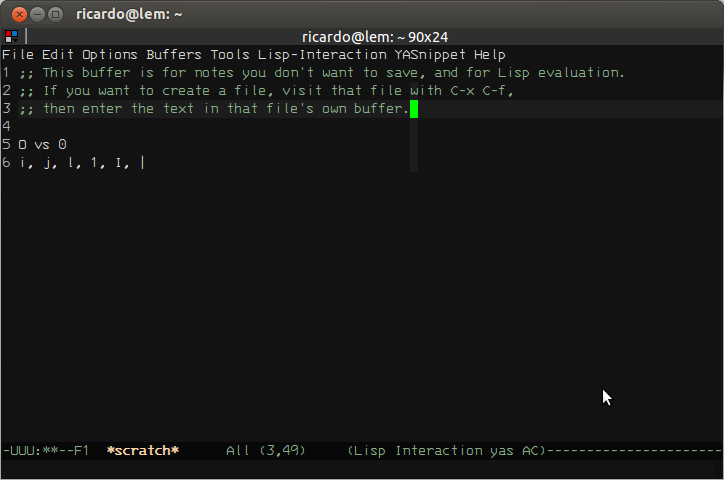
|
|
||||||
|
|
||||||
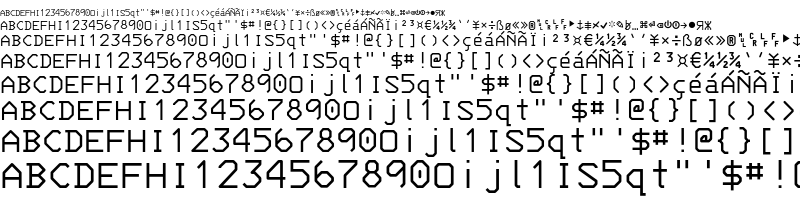
|
|
||||||
|
|
||||||
A little bit of history
|
A little bit of history
|
||||||
-----------------------
|
-----------------------
|
||||||
|
|
||||||
This font is derived from the x3270 font, which, in turn, was
|
This font is derived from the x3270 font, which, in turn, was translated
|
||||||
translated from the one in Georgia Tech's 3270tool, which was itself
|
from the one in Georgia Tech's 3270tool, which was itself hand-copied
|
||||||
hand-copied from a 3270 series terminal. I built it because I felt
|
from a 3270 terminal. I built it because I felt terminals deserve to be
|
||||||
terminals deserve to be pretty. The .sfd font file contains a x3270
|
pretty. The .sfd font file contains a x3270 bitmap font that was used
|
||||||
bitmap font that was used for guidance.
|
for guidance.
|
||||||
|
|
||||||

|
(https://raw.github.com/wiki/rbanffy/3270font/cathode.png)
|
||||||
|
|
||||||
Getting it
|
|
||||||
----------
|
|
||||||
|
|
||||||
If you are running Debian or Ubuntu and you don't want to mess with
|
|
||||||
building your font files, you can simply `apt-get install fonts-3270`
|
|
||||||
(It's available from the Debian
|
|
||||||
(https://packages.debian.org/sid/fonts/fonts-3270) and Ubuntu
|
|
||||||
(http://packages.ubuntu.com/zesty/fonts-3270) package repos at
|
|
||||||
https://packages.debian.org/sid/fonts/fonts-3270 and
|
|
||||||
http://packages.ubuntu.com/xenial/fonts/fonts-3270, although the
|
|
||||||
packaged version may not be the latest version, but it's good enough for
|
|
||||||
most purposes. For those who don't have the luxury of a proper
|
|
||||||
system-managed package, Adobe Type 1, TTF, OTF and WOFF versions are
|
|
||||||
available for download on
|
|
||||||
http://s3.amazonaws.com/3270font/3270_fonts_d250fd9.zip (although this
|
|
||||||
URL may not always reflect the latest version).
|
|
||||||
|
|
||||||

|
|
||||||
|
|
||||||
The format
|
The format
|
||||||
----------
|
----------
|
||||||
|
|
||||||
The "source" file is edited using FontForge. You'll need it if you want
|
This font was built with FontForge. You'll need it if you want to
|
||||||
to generate fonts for your platform. On most civilized operating
|
generate fonts for your platform. On most civilized operating systems,
|
||||||
systems, you can simply `apt-get install fontforge`, `yum install
|
you can simply `apt-get install fontforge`, `yum install fontforge` or
|
||||||
fontforge` or even `port install fontforge`. On others, you may need to
|
even `port install fontforge`. On others, you may need to grab your copy
|
||||||
grab your copy from http://fontforge.org/. I encourage you to drop by
|
from http://fontforge.org/. I encourage you to drop by and read the
|
||||||
and read the tutorials.
|
tutorials.
|
||||||
|
|
||||||

|
(https://raw.github.com/wiki/rbanffy/3270font/powerline.png)
|
||||||
|
|
||||||
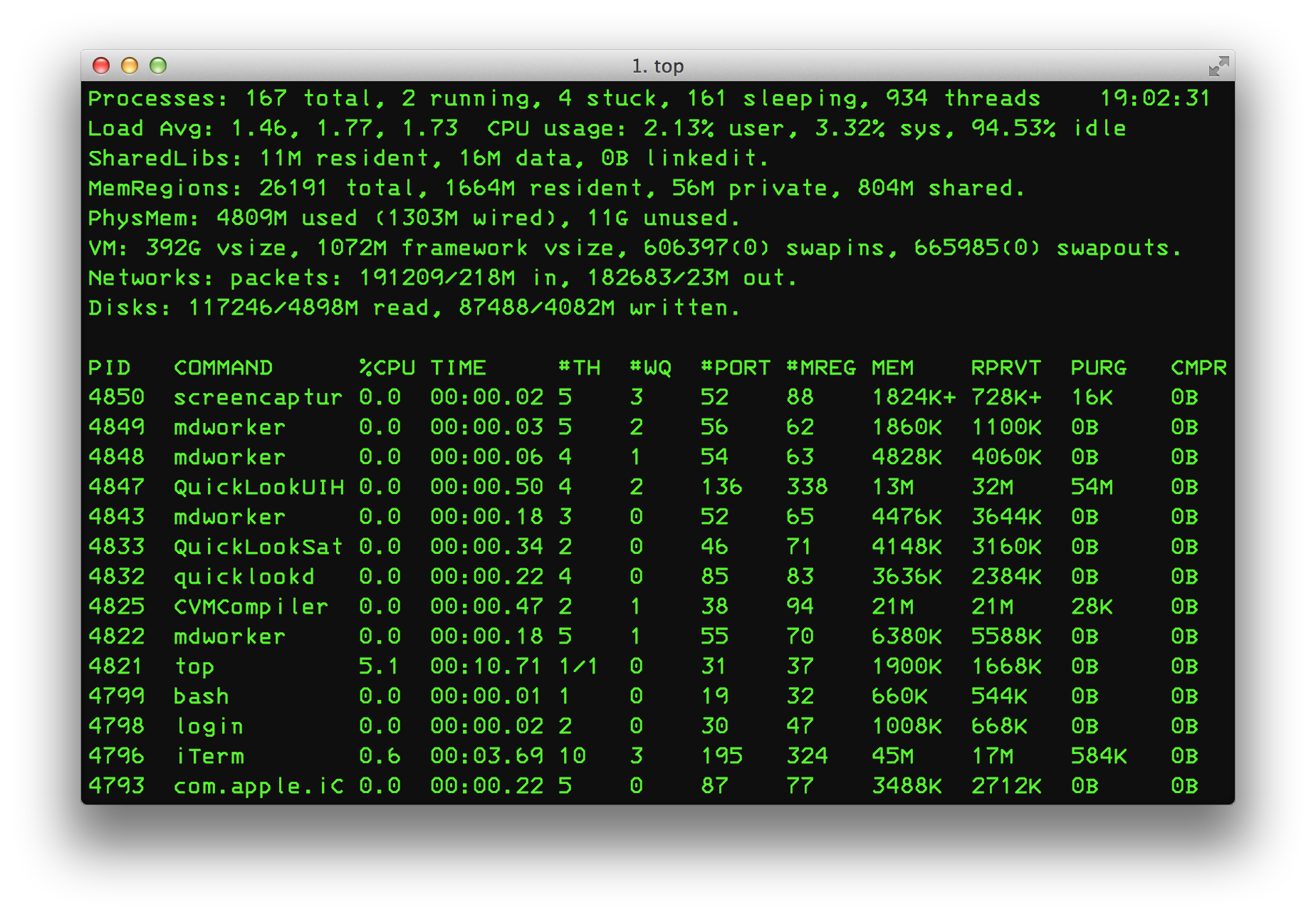
|
Adobe Type 1, TTF, OTF and WOFF versions are available for download on
|
||||||
|
http://s3.amazonaws.com/rbanffy/3270_fonts.zip for those who would just
|
||||||
|
like to use them.
|
||||||
|
|
||||||
If you are running Windows, you'll probably need something like
|
![Using it on OSX]
|
||||||
Cygwin, but, in the end, the font works correctly (with some very
|
(https://raw.github.com/wiki/rbanffy/3270font/osx_terminal.png)
|
||||||
minor hinting issues).
|
|
||||||
|
|
||||||

|
------------------------
|
||||||
|
|
||||||
Generating usable font files
|
|
||||||
----------------------------
|
|
||||||
|
|
||||||
The easiest way to generate the font files your computer can use is to
|
|
||||||
run `make all` (if you are running Ubuntu or Debian, `make install` will
|
|
||||||
install them too). Using `make help` will offer a handy list of options.
|
|
||||||
|
|
||||||
The script `generate_derived.pe` calls FontForge and generates
|
The script `generate_derived.pe` calls FontForge and generates
|
||||||
PostScript, OTF, TTF and WOFF versions of the base font, as well as a
|
PostScript, OTF, TTF and WOFF versions of the base font, as well as a
|
||||||
slightly more condensed .sfd file with the base font narrowed to 488
|
slightly more condensed .sfd file with the base font narrowed to 488
|
||||||
units, with no glyph rescaling (or cropping - we need to fix that) and
|
units, with no glyph rescaling and its corresponding PostScript, TTF,
|
||||||
its corresponding PostScript, TTF, OTF and WOFF versions.
|
OTF and WOFF versions.
|
||||||
|
|
||||||

|
|
||||||
|
|
||||||
Contributing
|
Contributing
|
||||||
------------
|
------------
|
||||||
|
|
||||||
I fear GitHub's pull-request mechanism may not be very
|
I don't think GitHub's pull-request mechanism is FontForge-friendly. If
|
||||||
FontForge-friendly. If you want to contribute (there are a lot of
|
you want to contribute (there are a lot of missing glyphs, such as the
|
||||||
missing glyphs, such as the APL set and most non-latin alphabets which
|
APL set and most non-latin alphabets which most likely were never built
|
||||||
most likely were never built into 3270 terminals), the best workflow
|
into 3270 terminals), get in touch and we will figure out how to do it
|
||||||
would be to make add the encoding slots (if needed), add/make the
|
right.
|
||||||
changes, reencode it in "Unicode, Full", compact it and validate
|
|
||||||
it. Check if the `git diff` command gives out something sensible (does
|
Preserving history
|
||||||
not change things you didn't intend to) and make a pull request. If, in
|
------------------
|
||||||
doubt, get in touch and we will figure out how to do it right.
|
|
||||||
|
I regard the history of electronic computing a very important part of
|
||||||
|
our civilization's history. Consider donating to entities that help
|
||||||
|
preserve it, such as the Computer History Museum
|
||||||
|
(http://www.computerhistory.org/), the IT History Society
|
||||||
|
(http://ithistory.org/) and many others around the world. If you have a
|
||||||
|
historically significant piece of technology in your closet or garage,
|
||||||
|
consider contacting a local technology or industrial-design-oriented
|
||||||
|
museum for advice.
|
||||||
|
|
||||||
Known problems
|
Known problems
|
||||||
--------------
|
--------------
|
||||||
|
|
||||||
Not all symbols in the 3270 charset have Unicode counterparts. When
|
I have received errors when installing the OTF, TTF, and PFM fonts on
|
||||||
possible, they are duplicated in the Unicode space. The 3270-only
|
Windows 7 and 8 (didn't try others).
|
||||||
symbols are at the end of the font, along with some glyphs useful for
|
|
||||||
building others.
|
|
||||||
|
|
||||||
Please refer to http://x3270.bgp.nu/Charset.html for a complete map.
|
|
||||||
|
|||||||
BIN
app/qml/fonts/modern-envy-code-r/Envy Code R Bold.ttf
Normal file
BIN
app/qml/fonts/modern-envy-code-r/Envy Code R Command Prompt.reg
Normal file
BIN
app/qml/fonts/modern-envy-code-r/Envy Code R Italic.ttf
Normal file
BIN
app/qml/fonts/modern-envy-code-r/Envy Code R.ttf
Normal file
16
app/qml/fonts/modern-envy-code-r/Read Me.txt
Normal file
@@ -0,0 +1,16 @@
|
|||||||
|
Envy Code R (coding font) preview #7.2
|
||||||
|
======================================
|
||||||
|
Envy Code R is a fully-scalable monospaced font designed for programming and command prompts.
|
||||||
|
|
||||||
|
There are three variants including in the archive - Regular, Bold and Italic. A large number of additional symbols outside the ASCII range and provided which covers most of the Windows/ISO 1252 codepage, MacOS Roman and a number of other Central European pages.
|
||||||
|
|
||||||
|
This archive also contains a folder named 'Visual Studio Italics-as-bold' which contains the Regular and Italic fonts again with an alternate name of 'Envy Code R VS' and with the Italic variant set to identify itself as bold. This allows you to utilise italics within Visual Studio's syntax highlighter by choosing bold everywhere you want italics - great for comments or strings!
|
||||||
|
|
||||||
|
If you wish to use Envy Code R as a font for your Windows Command Prompt run the included .reg registry file and reboot, then choose Properties from the Command Prompt to set it.
|
||||||
|
|
||||||
|
Please send feedback to damien@envytech.co.uk and be sure to visit http://damieng.com/fonts/envy-code-r for updates and more information.
|
||||||
|
|
||||||
|
[)amien
|
||||||
|
Damien Guard, May 2008.
|
||||||
|
|
||||||
|
Copyright <20> 2006-2008 Envy Technologies Ltd. Free to use but redistribution prohibited.
|
||||||
@@ -83,7 +83,7 @@ Item{
|
|||||||
sourceComponent: FastBlur{
|
sourceComponent: FastBlur{
|
||||||
id: frameReflectionEffect
|
id: frameReflectionEffect
|
||||||
radius: 128
|
radius: 128
|
||||||
source: terminal.mainSource
|
source: terminal.kterminal
|
||||||
smooth: false
|
smooth: false
|
||||||
}
|
}
|
||||||
}
|
}
|
||||||
@@ -120,10 +120,6 @@ Item{
|
|||||||
blending: true
|
blending: true
|
||||||
|
|
||||||
fragmentShader: "
|
fragmentShader: "
|
||||||
#ifdef GL_ES
|
|
||||||
precision mediump float;
|
|
||||||
#endif
|
|
||||||
|
|
||||||
uniform highp sampler2D normals;
|
uniform highp sampler2D normals;
|
||||||
uniform highp sampler2D source;
|
uniform highp sampler2D source;
|
||||||
uniform lowp float screenCurvature;
|
uniform lowp float screenCurvature;
|
||||||
@@ -185,10 +181,6 @@ Item{
|
|||||||
blending: true
|
blending: true
|
||||||
|
|
||||||
fragmentShader: "
|
fragmentShader: "
|
||||||
#ifdef GL_ES
|
|
||||||
precision mediump float;
|
|
||||||
#endif
|
|
||||||
|
|
||||||
uniform sampler2D lightMask;
|
uniform sampler2D lightMask;
|
||||||
uniform sampler2D reflectionSource;
|
uniform sampler2D reflectionSource;
|
||||||
uniform lowp float diffuseComponent;
|
uniform lowp float diffuseComponent;
|
||||||
|
|||||||
@@ -28,29 +28,10 @@ ApplicationWindow{
|
|||||||
|
|
||||||
width: 1024
|
width: 1024
|
||||||
height: 768
|
height: 768
|
||||||
|
|
||||||
// Save window properties automatically
|
|
||||||
onXChanged: appSettings.x = x
|
|
||||||
onYChanged: appSettings.y = y
|
|
||||||
onWidthChanged: appSettings.width = width
|
|
||||||
onHeightChanged: appSettings.height = height
|
|
||||||
|
|
||||||
// Load saved window geometry and show the window
|
|
||||||
Component.onCompleted: {
|
|
||||||
appSettings.handleFontChanged();
|
|
||||||
|
|
||||||
x = appSettings.x
|
|
||||||
y = appSettings.y
|
|
||||||
width = appSettings.width
|
|
||||||
height = appSettings.height
|
|
||||||
|
|
||||||
visible = true
|
|
||||||
}
|
|
||||||
|
|
||||||
minimumWidth: 320
|
minimumWidth: 320
|
||||||
minimumHeight: 240
|
minimumHeight: 240
|
||||||
|
|
||||||
visible: false
|
visible: true
|
||||||
|
|
||||||
property bool fullscreen: appSettings.fullscreen
|
property bool fullscreen: appSettings.fullscreen
|
||||||
onFullscreenChanged: visibility = (fullscreen ? Window.FullScreen : Window.Windowed)
|
onFullscreenChanged: visibility = (fullscreen ? Window.FullScreen : Window.Windowed)
|
||||||
@@ -159,6 +140,7 @@ ApplicationWindow{
|
|||||||
terminalSize: terminalContainer.terminalSize
|
terminalSize: terminalContainer.terminalSize
|
||||||
}
|
}
|
||||||
}
|
}
|
||||||
|
Component.onCompleted: appSettings.handleFontChanged();
|
||||||
onClosing: {
|
onClosing: {
|
||||||
// OSX Since we are currently supporting only one window
|
// OSX Since we are currently supporting only one window
|
||||||
// quit the application when it is closed.
|
// quit the application when it is closed.
|
||||||
|
|||||||
@@ -47,10 +47,8 @@
|
|||||||
<file>fonts/modern-pro-font-win-tweaked/ProFontWindows.ttf</file>
|
<file>fonts/modern-pro-font-win-tweaked/ProFontWindows.ttf</file>
|
||||||
<file>fonts/modern-monaco/monaco.ttf</file>
|
<file>fonts/modern-monaco/monaco.ttf</file>
|
||||||
<file>fonts/modern-hermit/Hermit-medium.otf</file>
|
<file>fonts/modern-hermit/Hermit-medium.otf</file>
|
||||||
|
<file>fonts/modern-envy-code-r/Envy Code R.ttf</file>
|
||||||
<file>fonts/modern-inconsolata/Inconsolata.otf</file>
|
<file>fonts/modern-inconsolata/Inconsolata.otf</file>
|
||||||
<file>SettingsScreenTab.qml</file>
|
<file>SettingsScreenTab.qml</file>
|
||||||
<file>fonts/modern-fixedsys-excelsior/FSEX301-L2.ttf</file>
|
|
||||||
<file>../icons/32x32/cool-retro-term.png</file>
|
|
||||||
<file>Components/SizedLabel.qml</file>
|
|
||||||
</qresource>
|
</qresource>
|
||||||
</RCC>
|
</RCC>
|
||||||
|
|||||||
@@ -1,14 +1,5 @@
|
|||||||
.pragma library
|
.pragma library
|
||||||
function clamp(x, min, max) {
|
|
||||||
if (x <= min)
|
|
||||||
return min;
|
|
||||||
if (x >= max)
|
|
||||||
return max;
|
|
||||||
return x;
|
|
||||||
}
|
|
||||||
function lint(a, b, t) {
|
|
||||||
return (1 - t) * a + (t) * b;
|
|
||||||
}
|
|
||||||
function mix(c1, c2, alpha){
|
function mix(c1, c2, alpha){
|
||||||
return Qt.rgba(c1.r * alpha + c2.r * (1-alpha),
|
return Qt.rgba(c1.r * alpha + c2.r * (1-alpha),
|
||||||
c1.g * alpha + c2.g * (1-alpha),
|
c1.g * alpha + c2.g * (1-alpha),
|
||||||
@@ -21,74 +12,3 @@ function strToColor(s){
|
|||||||
var b = parseInt(s.substring(5,7), 16) / 256;
|
var b = parseInt(s.substring(5,7), 16) / 256;
|
||||||
return Qt.rgba(r, g, b, 1.0);
|
return Qt.rgba(r, g, b, 1.0);
|
||||||
}
|
}
|
||||||
|
|
||||||
/* Tokenizes a command into program and arguments, taking into account quoted
|
|
||||||
* strings and backslashes.
|
|
||||||
* Based on GLib's tokenizer, used by Gnome Terminal
|
|
||||||
*/
|
|
||||||
function tokenizeCommandLine(s){
|
|
||||||
var args = [];
|
|
||||||
var currentToken = "";
|
|
||||||
var quoteChar = "";
|
|
||||||
var escaped = false;
|
|
||||||
var nextToken = function() {
|
|
||||||
args.push(currentToken);
|
|
||||||
currentToken = "";
|
|
||||||
}
|
|
||||||
var appendToCurrentToken = function(c) {
|
|
||||||
currentToken += c;
|
|
||||||
}
|
|
||||||
|
|
||||||
for (var i = 0; i < s.length; i++) {
|
|
||||||
|
|
||||||
// char followed by backslash, append literally
|
|
||||||
if (escaped) {
|
|
||||||
escaped = false;
|
|
||||||
appendToCurrentToken(s[i]);
|
|
||||||
|
|
||||||
// char inside quotes, either close or append
|
|
||||||
} else if (quoteChar) {
|
|
||||||
escaped = s[i] === '\\';
|
|
||||||
if (quoteChar === s[i]) {
|
|
||||||
quoteChar = "";
|
|
||||||
nextToken();
|
|
||||||
} else if (!escaped) {
|
|
||||||
appendToCurrentToken(s[i]);
|
|
||||||
}
|
|
||||||
|
|
||||||
// regular char
|
|
||||||
} else {
|
|
||||||
escaped = s[i] === '\\';
|
|
||||||
switch (s[i]) {
|
|
||||||
case '\\':
|
|
||||||
// begin escape
|
|
||||||
break;
|
|
||||||
case '\n':
|
|
||||||
// newlines always delimits
|
|
||||||
nextToken();
|
|
||||||
break;
|
|
||||||
case ' ':
|
|
||||||
case '\t':
|
|
||||||
// delimit on new whitespace
|
|
||||||
if (currentToken) {
|
|
||||||
nextToken();
|
|
||||||
}
|
|
||||||
break;
|
|
||||||
case '\'':
|
|
||||||
case '"':
|
|
||||||
// begin quoted section
|
|
||||||
quoteChar = s[i];
|
|
||||||
break;
|
|
||||||
default:
|
|
||||||
appendToCurrentToken(s[i]);
|
|
||||||
}
|
|
||||||
}
|
|
||||||
}
|
|
||||||
|
|
||||||
// ignore last token if broken quotes/backslash
|
|
||||||
if (currentToken && !escaped && !quoteChar) {
|
|
||||||
nextToken();
|
|
||||||
}
|
|
||||||
|
|
||||||
return args;
|
|
||||||
}
|
|
||||||
|
|||||||
@@ -2,10 +2,10 @@
|
|||||||
Comment=Use the command line the old way
|
Comment=Use the command line the old way
|
||||||
Exec=cool-retro-term
|
Exec=cool-retro-term
|
||||||
GenericName=Terminal emulator
|
GenericName=Terminal emulator
|
||||||
Icon=cool-retro-term
|
Icon=utilities-terminal
|
||||||
|
MimeType=
|
||||||
Name=Cool Retro Term
|
Name=Cool Retro Term
|
||||||
Categories=System;TerminalEmulator;
|
Categories=Qt;System;Utility;TerminalEmulator;
|
||||||
StartupNotify=true
|
StartupNotify=true
|
||||||
Terminal=false
|
Terminal=false
|
||||||
Type=Application
|
Type=Application
|
||||||
Keywords=shell;prompt;command;commandline;
|
|
||||||
|
|||||||
4
packaging/debian/.gitignore
vendored
@@ -1,4 +0,0 @@
|
|||||||
/*.debhelper.log
|
|
||||||
/*.substvars
|
|
||||||
/cool-retro-term/
|
|
||||||
/files
|
|
||||||
@@ -1,12 +1,9 @@
|
|||||||
Source: cool-retro-term
|
Source: cool-retro-term
|
||||||
Maintainer: Jeka Der <jekader@gmail.com>
|
Maintainer: Jeka Der <jekader@gmail.com>
|
||||||
Section: x11
|
Section: misc
|
||||||
Priority: optional
|
Priority: optional
|
||||||
Standards-Version: 3.9.6
|
Standards-Version: 3.9.6
|
||||||
Homepage: https://github.com/Swordfish90/cool-retro-term
|
Build-Depends: debhelper (>= 9),qmlscene,
|
||||||
Vcs-Git: git://github.com/barak/cool-retro-term.git
|
|
||||||
Vcs-Browser: https://github.com/barak/cool-retro-term
|
|
||||||
Build-Depends: debhelper (>= 9), qmlscene,
|
|
||||||
qt5-qmake, qtdeclarative5-dev, qml-module-qtquick-controls,
|
qt5-qmake, qtdeclarative5-dev, qml-module-qtquick-controls,
|
||||||
qml-module-qtgraphicaleffects, qml-module-qtquick-dialogs,
|
qml-module-qtgraphicaleffects, qml-module-qtquick-dialogs,
|
||||||
qml-module-qtquick-localstorage, qml-module-qtquick-window2
|
qml-module-qtquick-localstorage, qml-module-qtquick-window2
|
||||||
@@ -14,10 +11,7 @@ Build-Depends: debhelper (>= 9), qmlscene,
|
|||||||
Package: cool-retro-term
|
Package: cool-retro-term
|
||||||
Architecture: any
|
Architecture: any
|
||||||
Replaces: cool-old-term
|
Replaces: cool-old-term
|
||||||
Provides: x-terminal-emulator
|
Depends: qml-module-qtquick-controls, qml-module-qtgraphicaleffects, qml-module-qtquick-dialogs, qml-module-qtquick-localstorage, qml-module-qtquick-window2, ${shlibs:Depends}, ${misc:Depends}
|
||||||
Depends: qml-module-qtquick-controls, qml-module-qtgraphicaleffects,
|
|
||||||
qml-module-qtquick-dialogs, qml-module-qtquick-localstorage,
|
|
||||||
qml-module-qtquick-window2, ${shlibs:Depends}, ${misc:Depends}
|
|
||||||
Description: terminal emulator which mimics old screens
|
Description: terminal emulator which mimics old screens
|
||||||
cool-retro-term is a terminal emulator which mimics the look and feel
|
cool-retro-term is a terminal emulator which mimics the look and feel
|
||||||
of the old cathode tube screens. It has been designed to be eye-candy,
|
of the old cathode tube screens. It has been designed to be eye-candy,
|
||||||
|
|||||||
@@ -1,31 +0,0 @@
|
|||||||
.TH cool-retro-term 1 "August 22 2016"
|
|
||||||
.SH NAME
|
|
||||||
cool-retro-term \- terminal emulator mimicking the old cathode display
|
|
||||||
.SH SYNOPSIS
|
|
||||||
"Usage: ./cool\-retro\-term [\-\-default\-settings] [\-\-workdir <dir>] [\-\-program <prog>] [\-p|\-\-profile <prof>] [\-\-fullscreen] [\-h|\-\-help]"
|
|
||||||
.SH DESCRIPTION
|
|
||||||
This manual page documents briefly the
|
|
||||||
.B cool-retro-term
|
|
||||||
command.
|
|
||||||
.SH OPTIONS
|
|
||||||
.TP
|
|
||||||
\fB\-\-default\-settings\fR
|
|
||||||
Run cool\-retro\-term with the default settings
|
|
||||||
.TP
|
|
||||||
\fB\-\-workdir\fR <dir>
|
|
||||||
Change working directory to 'dir'
|
|
||||||
.TP
|
|
||||||
\fB\-e\fR <cmd>
|
|
||||||
Command to execute. This option will catch all following arguments, so use it as the last option.
|
|
||||||
.TP
|
|
||||||
\fB\-\-fullscreen\fR
|
|
||||||
Run cool\-retro\-term in fullscreen.
|
|
||||||
.HP
|
|
||||||
\fB\-p\fR|\-\-profile <prof> Run cool\-retro\-term with the given profile.
|
|
||||||
.TP
|
|
||||||
\fB\-h\fR|\-\-help
|
|
||||||
Print this help.
|
|
||||||
.TP
|
|
||||||
\fB\-\-verbose\fR
|
|
||||||
Print additional information such as profiles and settings.
|
|
||||||
.PP
|
|
||||||
@@ -4,8 +4,10 @@ Upstream-Contact: Filippo Scognamiglio <flscogna@gmail.com>
|
|||||||
Source: https://github.com/Swordfish90/cool-retro-term
|
Source: https://github.com/Swordfish90/cool-retro-term
|
||||||
|
|
||||||
Files: *
|
Files: *
|
||||||
Copyright: 2013-2017 Filippo Scognamiglio
|
Copyright: 2014 Filippo Scognamiglio
|
||||||
License: GPL-3
|
License: GPL-3
|
||||||
On Debian systems, the full text of the GNU General Public
|
On Debian systems, the full text of the GNU General Public
|
||||||
License version 3 can be found in the file
|
License version 3 can be found in the file
|
||||||
`/usr/share/common-licenses/GPL-3'.
|
`/usr/share/common-licenses/GPL-3'.
|
||||||
|
|
||||||
|
|
||||||
|
|||||||
@@ -1,4 +0,0 @@
|
|||||||
version=4
|
|
||||||
opts="filenamemangle=s%(?:.*?)?v?(\d[\d.]*)\.tar\.gz%<project>-$1.tar.gz%" \
|
|
||||||
https://github.com/Swordfish90/cool-retro-term/tags \
|
|
||||||
(?:.*?/)?v?(\d[\d.]*)\.tar\.gz debian uupdate
|
|
||||||
@@ -18,10 +18,10 @@
|
|||||||
|
|
||||||
Name: cool-retro-term
|
Name: cool-retro-term
|
||||||
Summary: Cool Retro Terminal
|
Summary: Cool Retro Terminal
|
||||||
Version: 1.0
|
Version: 0.9
|
||||||
Release: 0%{?dist}
|
Release: 0%{?dist}
|
||||||
Group: System/X11/Terminals
|
Group: System/X11/Terminals
|
||||||
License: GPL-3.0+
|
License: GPLv3
|
||||||
URL: https://github.com/Swordfish90/cool-retro-term
|
URL: https://github.com/Swordfish90/cool-retro-term
|
||||||
|
|
||||||
# For this spec file to work, the cool-retro-term sources must be located
|
# For this spec file to work, the cool-retro-term sources must be located
|
||||||
@@ -82,7 +82,9 @@ desktop-file-install \
|
|||||||
%{_bindir}/%{name}
|
%{_bindir}/%{name}
|
||||||
%{_libdir}/qt5/qml/
|
%{_libdir}/qt5/qml/
|
||||||
%{_datadir}/applications/%{name}.desktop
|
%{_datadir}/applications/%{name}.desktop
|
||||||
%{_datadir}/icons/hicolor/*/*/*
|
# FIXME: Icon
|
||||||
|
# %{_datadir}/pixmaps/%{name}.png
|
||||||
|
# %{_datadir}/icons/hicolor/*/*/*
|
||||||
|
|
||||||
%clean
|
%clean
|
||||||
rm -rf %{buildroot}
|
rm -rf %{buildroot}
|
||||||
|
|||||||